
This guide will show you how to Modify Your Terraria World Difficulty via TShock
Click here to order your Terraria server with AA Game Hosting.
Changing your Terraria world’s difficulty with TShock gives you far more flexibility than the vanilla game allows. Instead of creating a brand‑new world every time you want a different challenge, TShock lets you adjust difficulty settings directly through server commands and configuration tools. This is especially useful for server owners who want to fine‑tune gameplay, balance progression for their community, or switch between relaxed exploration and intense combat without starting over. Because TShock manages world data, permissions, and server behavior, understanding how its difficulty‑related commands work ensures you make changes safely and effectively. With the right permissions and a few simple steps, you can shift your world into Classic, Expert, Master, or Journey mode, tailoring the experience to match your players’ needs.
Adjusting Terraria World Difficulty with TShock
To change the difficulty of your current world without starting a new world.
You need to download your world in your Game Panel File Manager or via FTP.
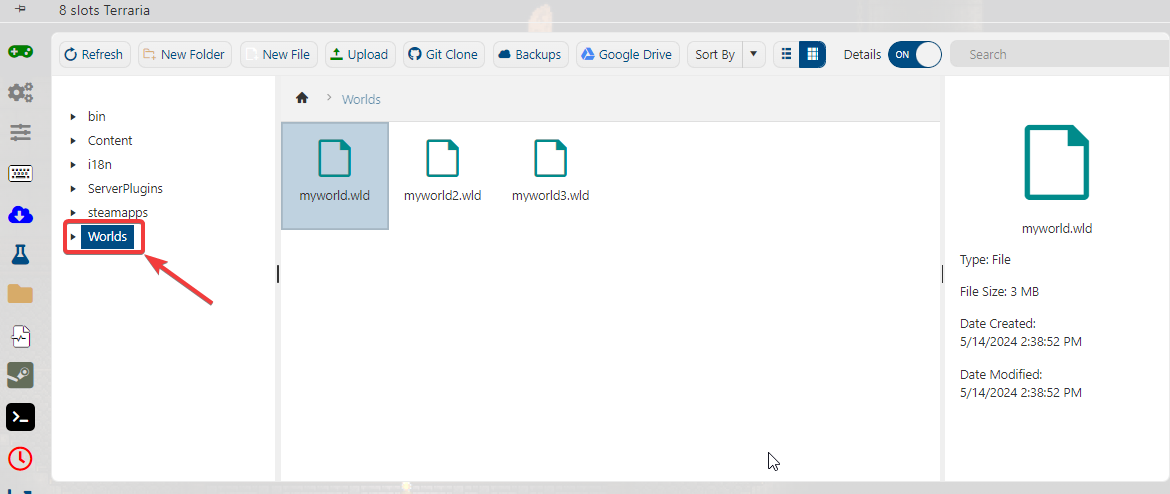
Place the world from your dedicated folder in this directory
"C:\Users\%userprofile%\Documents\My Games\Terraria\Worlds"
After that, you need to download the latest TShock by following this link:
https://github.com/Pryaxis/TShock/releases
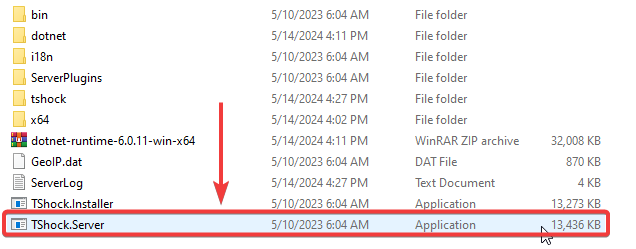
Extract all the needed files locally and run "TShock.Server"
Select the world you want to change the difficulty for.
In this case, we will be using "myworld" on slot # 1
Type "1" to choose slot # 1
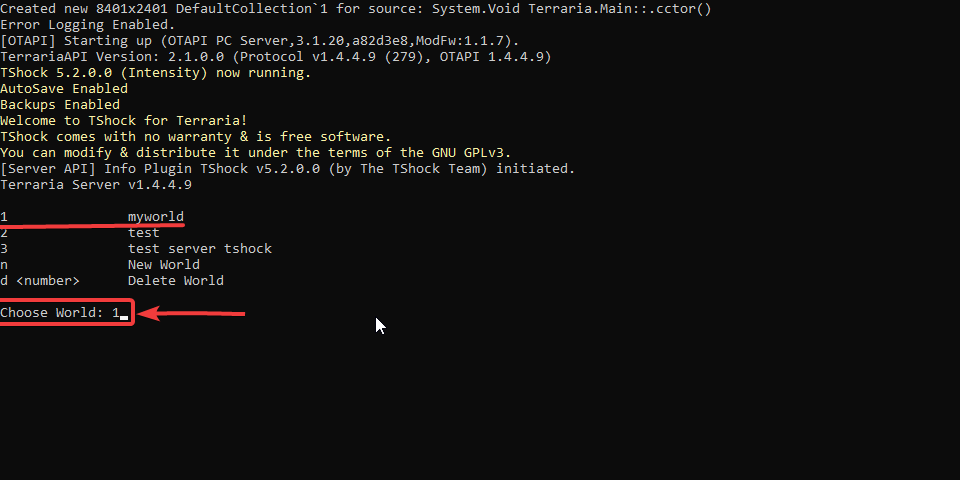
Press Enter or input valid information until the server starts.
When the server starts, you can now change the world's difficulty.
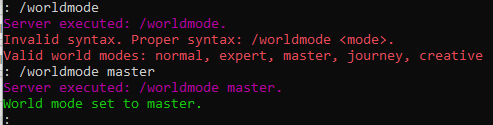
The command you need to input is "/worldmode <mode>", then hit enter.
for example: /worldmode master
The world has now changed its difficulty.
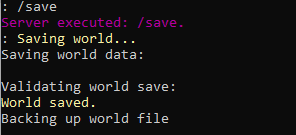
Don't forget to type "save" to save the changes to your world
Open the Terraria game client to verify the changes.
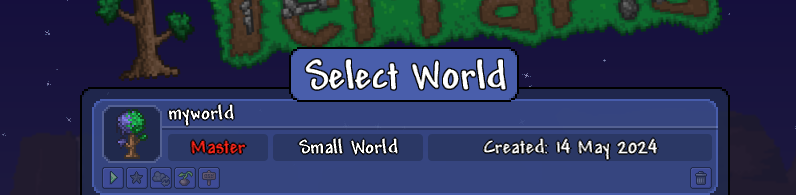
If you follow the guide correctly, your world should now be set to your desired difficulty.
The final step is uploading the world to your Terraria Server using the File Manager or via FTP.
You can follow our guide on how to upload a custom world to your Terraria server.
If you encountered issues during the process,
Please click here to send a ticket to our team.
