
This guide will show you how to use Modpacks to Install Mods on your TModLoader Server
Click here to order your Terraria server with AA Game Hosting.
Modding is one of the best ways to expand Terraria, adding new content, mechanics, and endless replayability. If you’re running a TModLoader server, using modpacks makes installing and managing multiple mods much easier. Instead of adding mods one by one, modpacks let you bundle them together, streamline installation, and keep your server organized. This guide will walk you through how to use modpacks to install mods on your TModLoader server, so you can spend less time troubleshooting and more time exploring your enhanced Terraria world with friends.
Installing Mods with Modpacks on a Terraria TModLoader Server
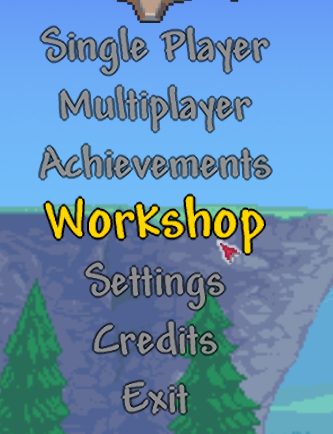
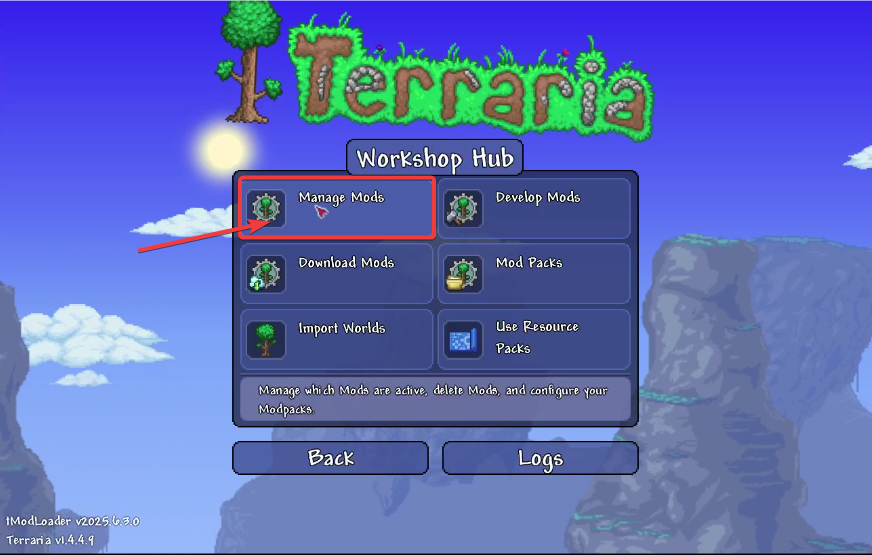
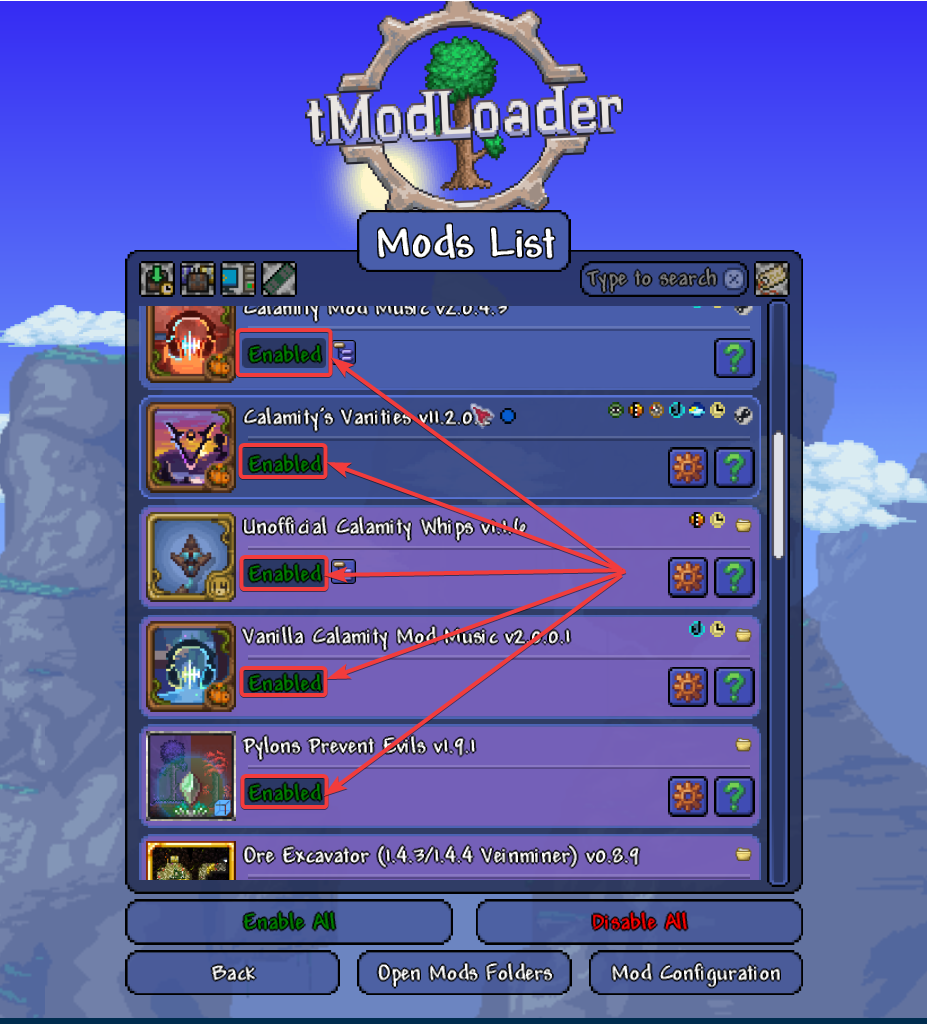
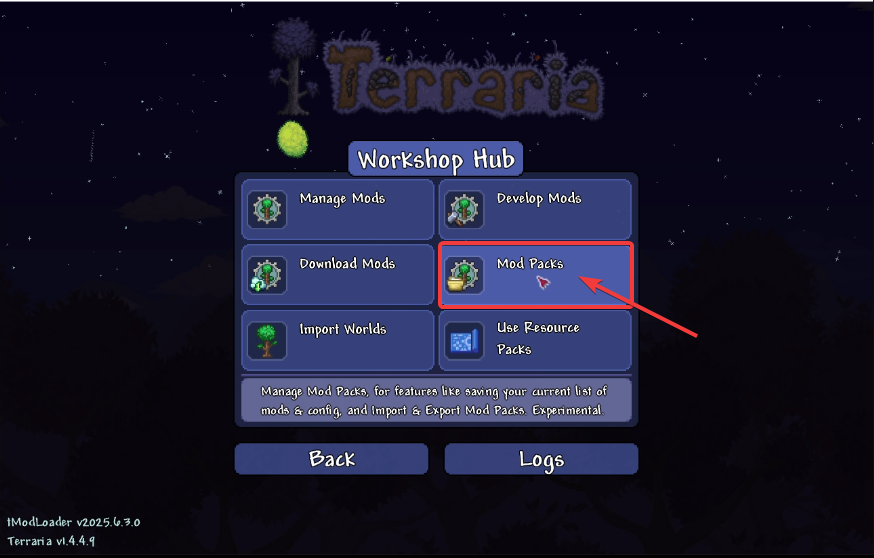
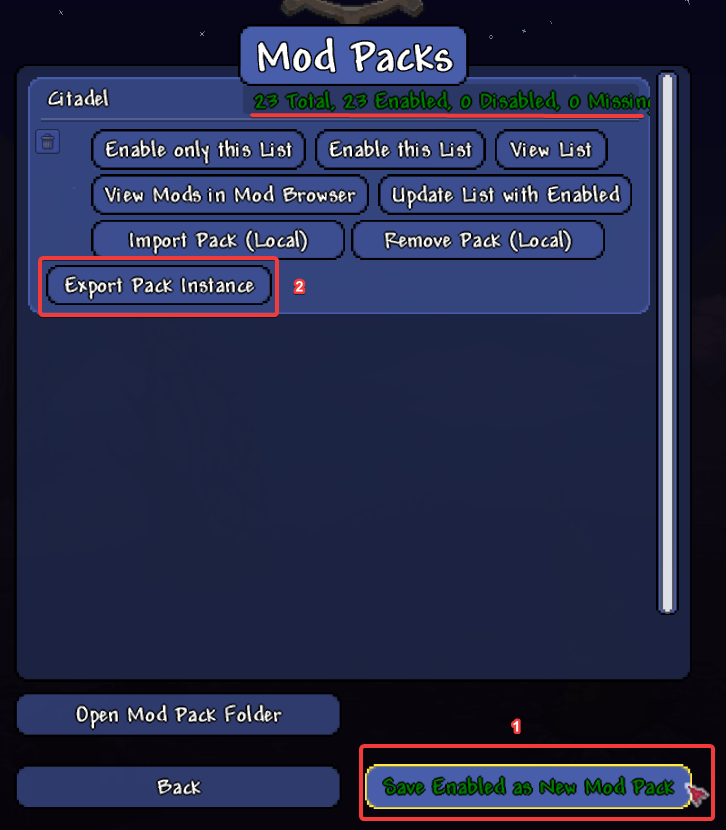
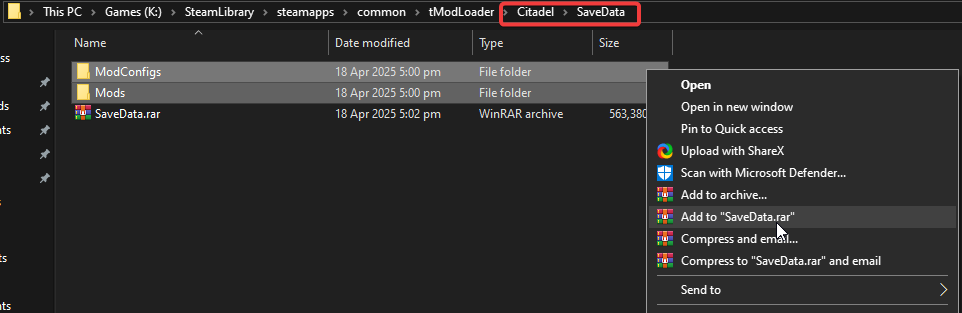
7. Log in to your Game Control Panel and navigate to your service.
8. Before making any modifications, stop the server from running by clicking the Stop button.

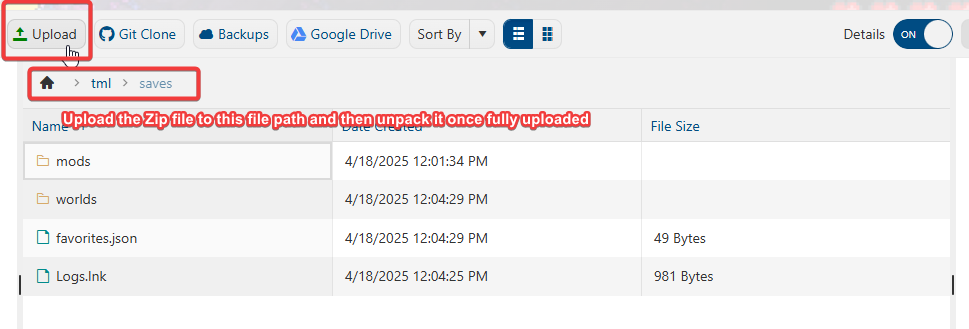
9. Open the File Manager Tab.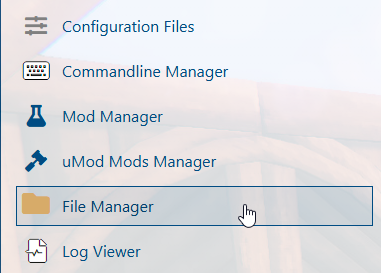
10. Go to TML>>Saves Folder, then upload the Rar file, then unpack it here.
You can upload it directly to the File Manager, but we highly suggest using an FTP client such as Filezilla.
11. Start your server on your Game Panel and enjoy the game with your mods.
Please click here to send a ticket to our team.
