
This guide will show you about Installing Mods with TModLoader for Terraria Server
Click here to order your Terraria server with AA Game Hosting.
Running a Terraria server is a fantastic way to bring friends together and explore the game in new ways. With TModLoader, you can unlock the full potential of Terraria by adding mods that expand gameplay, introduce new content, and customize your world to fit your vision. Installing mods on a server may sound complicated at first, but TModLoader makes the process straightforward and manageable. In this guide, we’ll walk through how to install and enable mods on your Terraria server using TModLoader, so you can create a seamless multiplayer experience packed with creativity and fun.
Using TModLoader to Install Mods on your Terraria Server
1. First and foremost, access your Game Panel (You can click this link for easy access) and go to your Game Services.
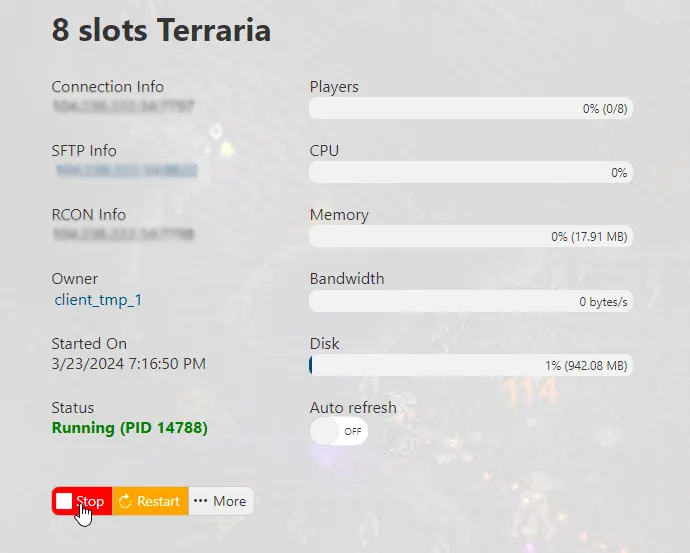
You will see if your game server is running or not. Make sure to stop your server for now by clicking on the "Stop" button.
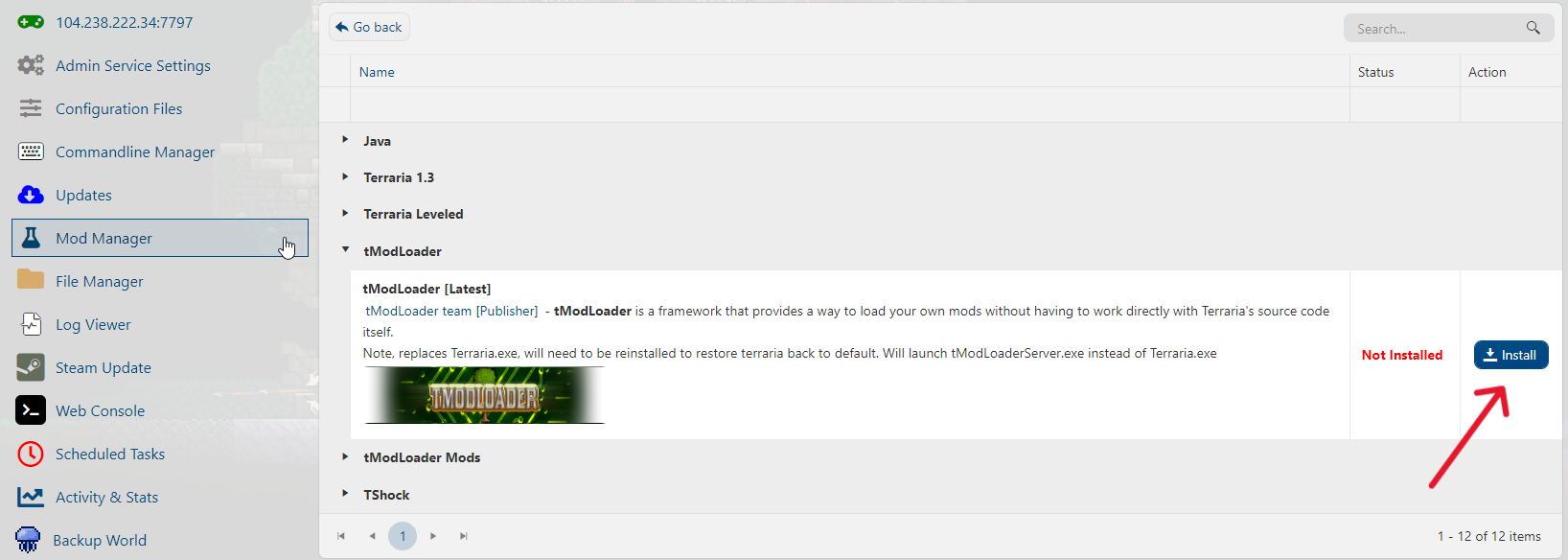
2. Second, navigate to the Mod Manager section, click on tModLoader, and press the "Install" button.
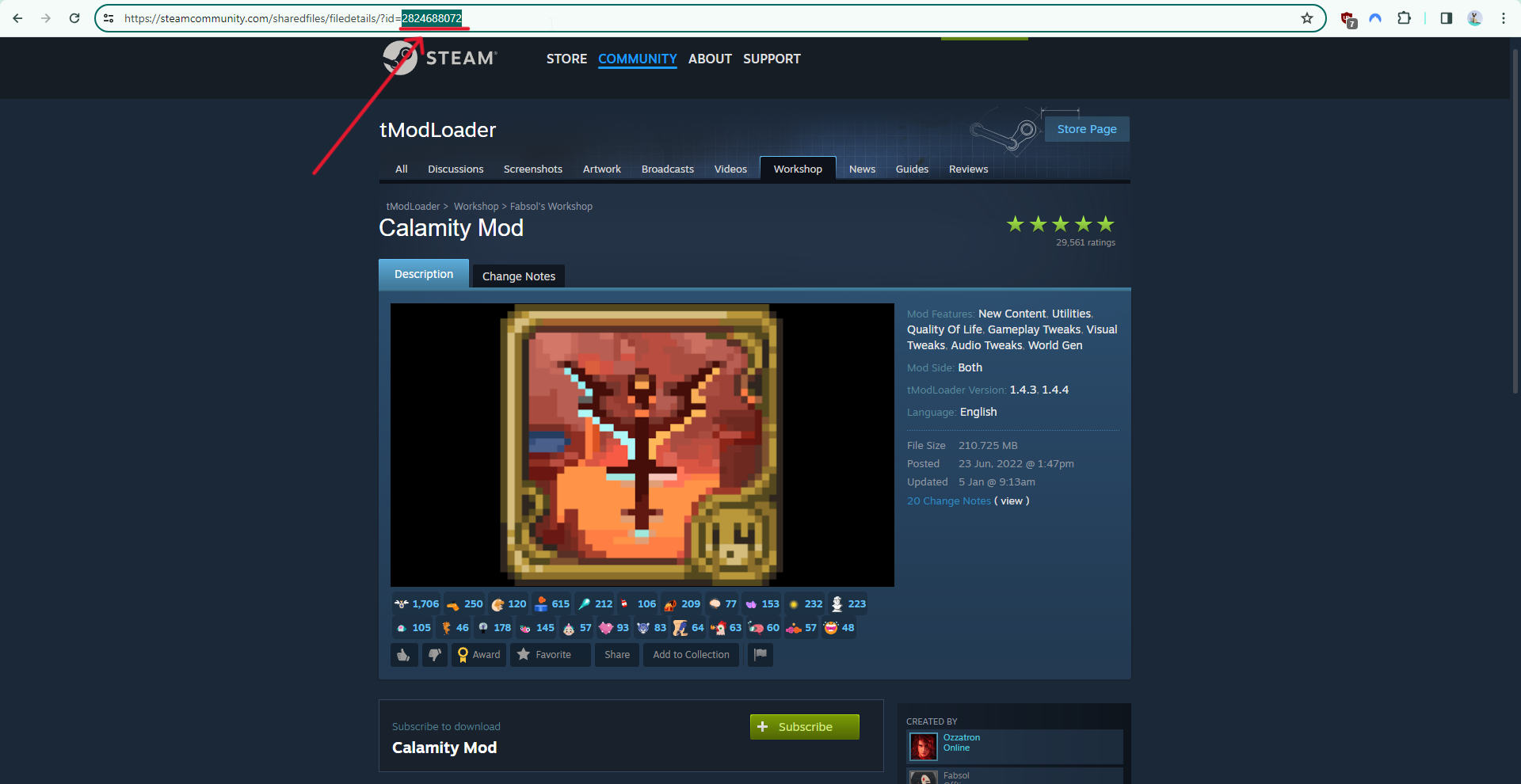
3. After installing tModLoader, go to Steam Workshop to browse and choose the Mods you want to install.
Once you've chosen, take note of the Workshop ID, which can be found here:
4. Download the Mod files of each Mod you want either from your local Terraria mods folder,
the Terraria tModLoader forums, or via SteamCMD.
5. Once you have finished downloading, you have two options to upload the Mod files to your game folder.
a.) Using an FTP Client. (If you're unsure of how to use FTP, check out this guide.)
b.) Using our File Manager. In this tutorial, we will be using the File Manager in the game panel.
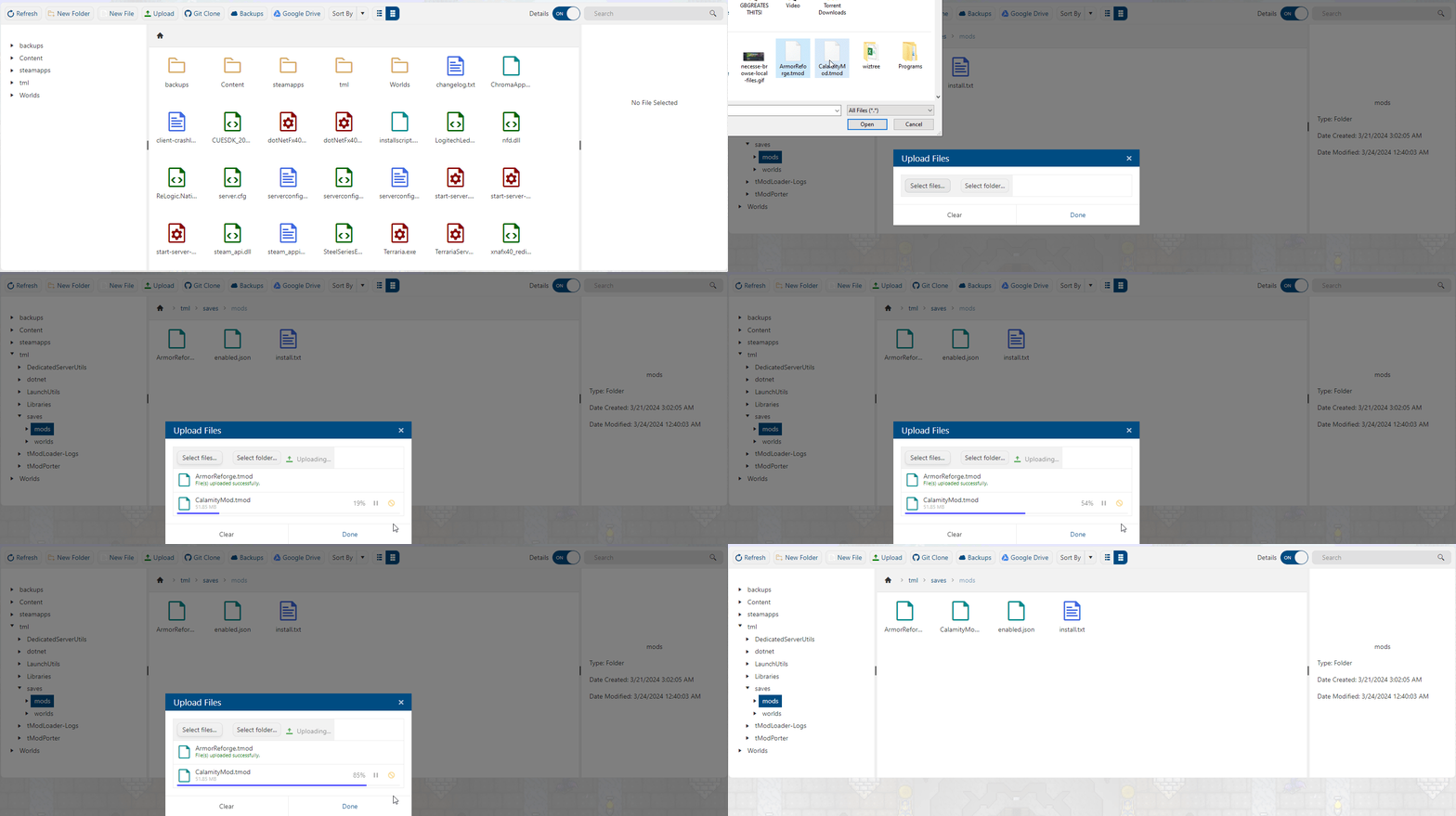
In your File Manager, navigate to the tml/saves/mods folder, click the "Upload" button,
Select the Mod files you want to upload, and wait for them to finish.
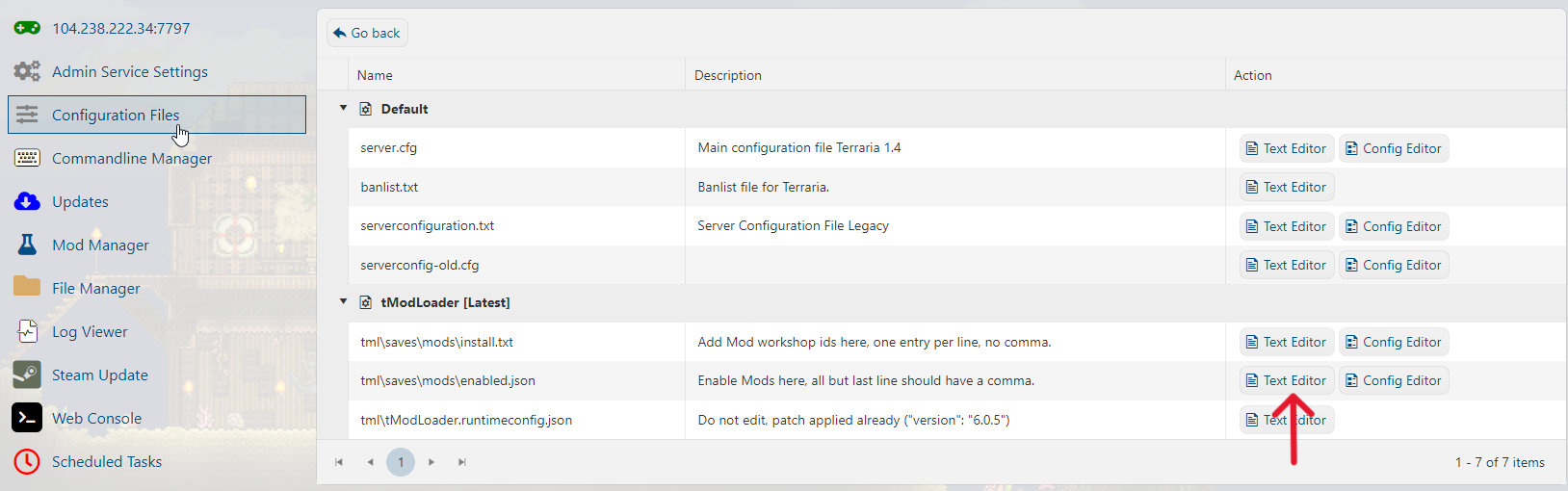
6. Next, head over to the Configuration Files section. On the TModLoader section, you will see the Text Editors for install.txt and enabled.json.
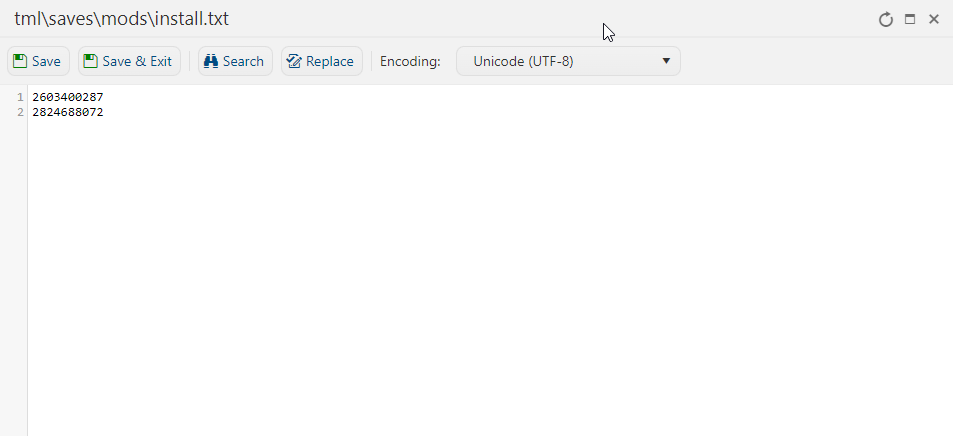
Inside the install.txt configuration, input the Workshop IDs you've saved earlier in this format:
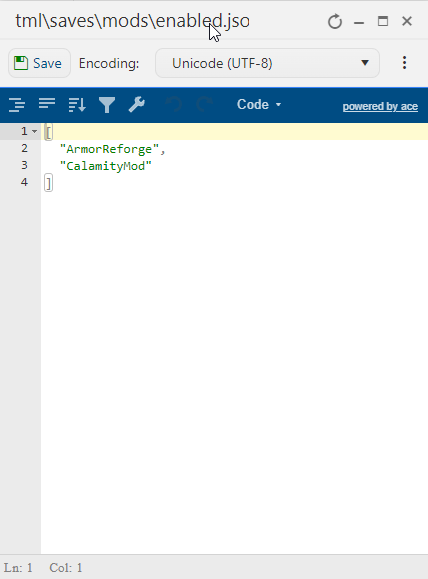
Inside the enabled.json configuration, input the filenames of the Mods you installed,
separated by a line space and a comma. Make sure the last entry doesn't have a comma.
7. Start your server in your Game Panel and have fun playing modded Terraria!
If you encountered issues during the process,
Please click here to send a ticket to our team.
