

This guide will show you how to modify the castle decay speed on your V Rising Server
Order your V Rising server today with AA Game Hosting by clicking here!
Castle decay plays a major role in how players maintain their territory in V Rising. By adjusting the decay speed, you can control how quickly structures lose integrity, how often players must reinforce their castles, and how demanding long‑term upkeep becomes. Whether you want a slower, more relaxed experience or a faster decay rate that rewards active play, modifying this setting lets you fine‑tune the pace of your server’s progression. This guide explains where to find the decay options, what each value affects, and how to configure them to match the gameplay style you want for your community.
Managing Castle Decay Rates on Your V Rising Server
1. Log in to your Game Control Panel and navigate to your service.
2. Before making any modifications, stop the server from running by clicking the Stop button.

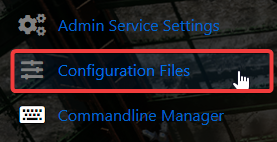
3. Navigate to the Configuration Files Tab to continue.
4. Locate the ServerGameSettings file in the Configuration Files and open it through the Text Editor.

5. Find the CastleDecayRateModifier entry and set the value to your desired decay rate.

| Value | Effect |
|---|---|
| 0.0 | Disables castle decay entirely |
| 0.5 | Castles decay at half the normal rate |
| 1.0 | Default decay rate |
| 2.0 | Castles decay twice as fast |
| 3.0 | Castles decay three times as fast |
6. When you’re finished configuring the difficulty, click the Save button to commit the changes to your server.

Did the above information not work for you?
Please click here to contact our support via a ticket.
