
This guide will help you with How to Edit Dino Progression Requirements Through Server Files
Launch Your Isle Server Today with AA Game Hosting
Progression is one of the core systems that shapes how players advance through The Isle. By editing your server’s configuration files, you can fully customize the progression point requirements for each dinosaur, making certain species easier to access, creating a more challenging progression path, or designing a unique experience for your community. Whether you want faster growth, stricter unlocks, or a fully rebalanced progression tree, these adjustments give you precise control over how players evolve on your server. This guide walks you through where the progression settings are stored, how the values are structured, and the safest way to modify them. With a few targeted edits, you can tailor progression to match your server’s theme, difficulty, or gameplay goals while keeping everything stable and consistent for your players.
Adjusting Dinosaur Progression Point Requirements on Your Isle Server
1. Log in to your Game Control Panel and navigate to your service.
2. Before making any modifications, stop the server from running by clicking the Stop button.

3. Navigate to the Configuration Files Tab to continue.
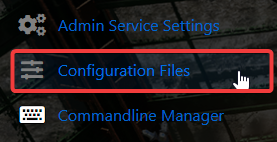
4. Access Game.ini through the Config Editor and apply your edits.

5. Click New Progression Points Override.
6. Enter the Dinosaur name and the point value you want it to have.
You can find the list of Dinosaur names here.
7. When you’re finished, click Save to ensure all adjustments are applied.

Did the above information not work for you?
Please click here to contact our support via a ticket.
