
This guide will help you access The Isle’s Evrima Beta Version
Launch Your Isle Server Today with AA Game Hosting
Accessing The Isle’s Evrima Beta version allows you to experience the latest gameplay updates, mechanics, and experimental features before they reach the main branch. Whether you’re setting up a server that requires Evrima or simply want to explore the newest content, switching to the beta branch is quick and straightforward. This guide walks you through the exact steps to opt into the Evrima Beta on Steam so you can start playing with the most up‑to‑date version of The Isle.
1. Log in to your Game Control Panel and navigate to your service.
2. Before making any modifications, stop the server from running by clicking the Stop button.

3. Navigate to the Server Updater Tab to continue.
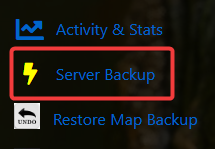
4. Run the Server Updater and select the Evrima Version option, then click the Execute button.

5. Once you’ve switched to the Evrima branch, open the Commandline Manager.
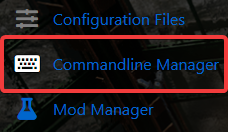
6. From the Commandline Manager, switch to the Beta commandline option.

7. After activating the correct commandline, open the Configuration Files.
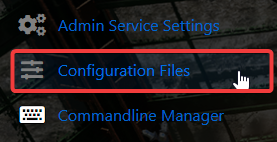
8. In the Configuration Files section, select Game-file-template-for-legacy.txt, open it with the Config Editor, and click Save to generate the file.
9. Click the Text Editor next to Game-file-template-for-legacy.txt, then copy everything inside.
10. Return to Configuration Files. Open the Text Editor for Game. ini, delete the existing contents and paste in the text you copied from Game-file-template-for-legacy.txt.
11. Navigate back to the Home page in your Game Panel and start the server from there.

Did the above information not work for you?
Please click here to contact our support via a ticket.
