
 This guide will help you with Windrose Server Configuration
Experience Windrose Hosting — Order from AA Game Hosting!
The Windrose Server provides a robust, scalable foundation for managing distributed applications, data services, and internal workflows across modern infrastructure environments. As organizations increasingly rely on flexible, service‑oriented architectures, proper configuration of the Windrose Server becomes essential for ensuring reliability, security, and optimal performance. This guide walks administrators through the complete configuration lifecycle from initial setup and environment preparation to advanced tuning and operational best practices. Whether deploying Windrose in a development sandbox or a production‑grade cluster, readers will gain the clarity and structure needed to configure services consistently and confidently. By the end of this guide, administrators will understand how to customize server parameters, integrate Windrose with supporting systems, enforce security controls, and maintain a stable runtime environment aligned with organizational requirements.
Configuring the Windrose Server
1. Log in to your Game Panel to begin the setup.
2. Go to the Configuration Files section to continue.
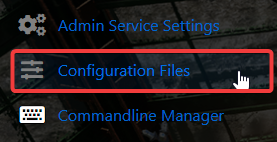
3. Select the Text Editor button to open the configuration file. Once the file is open, you can edit existing entries or add new commands as needed.
Ensure that every command you add follows the correct syntax and formatting requirements.


Click Save when you finish editing the configuration file. After saving, start the server to apply the updated configuration.
If you encountered issues during the process,
Please click here to send a ticket to our team.
