

This guide will help you learn how to install the BepInEx Modding Framework on a Valheim Server
Click here to order your Valheim server with AA Game Hosting today!
Installing mods on a Valheim server opens the door to deeper gameplay, better quality‑of‑life features, and powerful server‑side customization. At the center of most Valheim modding setups is BepInEx, a lightweight but robust modding framework that allows your server to load plugins, patch game code, and manage configuration files with ease. Whether you're hosting a small world for friends or running a large public community, setting up BepInEx is the first essential step toward a fully modded Valheim experience. This guide walks you through the entire installation process from preparing your server files to verifying that BepInEx is running correctly so you can start adding mods with confidence. No prior modding experience required.
Installing the BepInEx Framework on Your Valheim Server
1. Log in to your Game Panel.
2. Before making any modifications, stop the server from running by clicking the Stop button.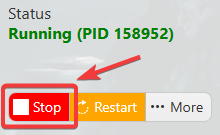
3. Navigate to the Mod Manager section, where you can manage and install mods.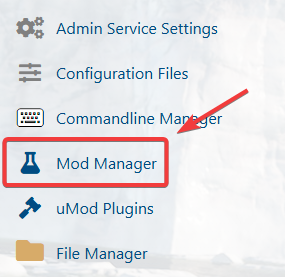
4. At the top of the Mod Manager, locate the BepInEx Installer and click Install to begin the process.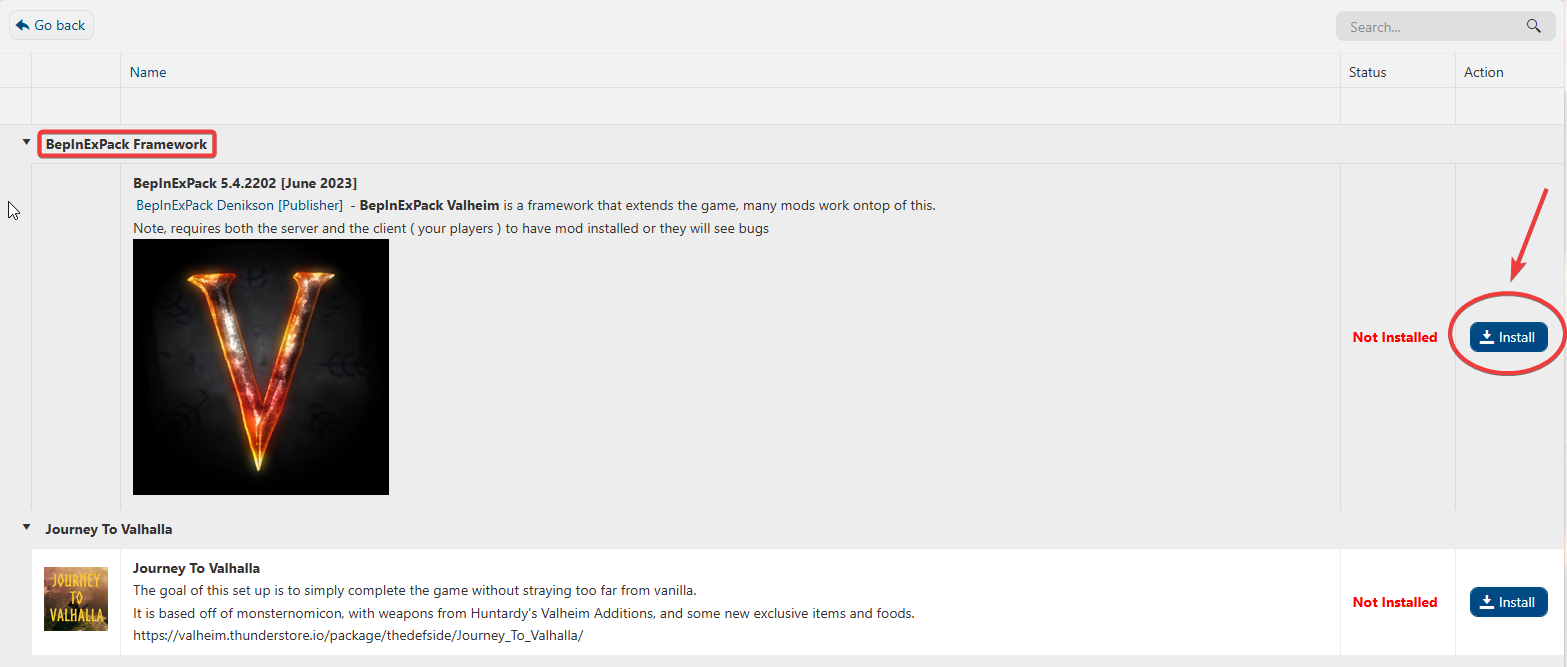
5. Once the installation is complete, you can start adding BepInEx mods to enhance your server.
If you encountered issues during the process,
Please click here to send a ticket to our team.
