

This guide will help you How to Set Up Cross‑Play for Steam, Xbox consoles, and Game Pass Users on a Valheim Server
Click here to order your Valheim server with AA Game Hosting today!
Setting up cross‑play on a Valheim server is one of the best ways to bring your entire community together, whether they’re playing on Steam, an Xbox console, or through Game Pass. Since Valheim now supports cross‑platform connections, server admins can host a single world that welcomes players from all supported platforms without extra mods or workarounds. The process is straightforward once you understand how Valheim handles cross‑play keys, server visibility, and platform‑specific connection methods. This guide walks you through everything you need to configure, from enabling cross‑play on your dedicated server to helping players join smoothly, so your entire group can explore, build, and battle in the same Viking world.
Configuring Valheim Cross‑Play Support Across Steam, Xbox, and Game Pass
Firstly, you would need to log in and access your Game Panel and navigate to your server. Press the "Stop" button.
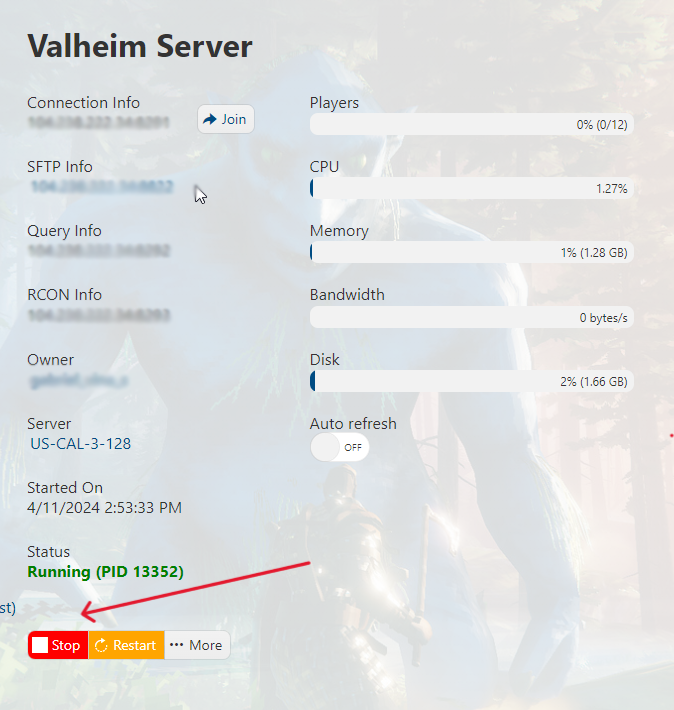
Next, click/tap on the "Commandline Manager" icon.

Click the "Active/Modify" in the Default command line. Tick/Check the crossplay box and hit apply.

Head back to your Game Panel and press "Start" to start your server.
Crossplay should now be enabled, and you will be able to play with Xbox and Steam users!
Tips:
• If you are trying to join from Xbox Game Pass, the Connection IP would be enough.
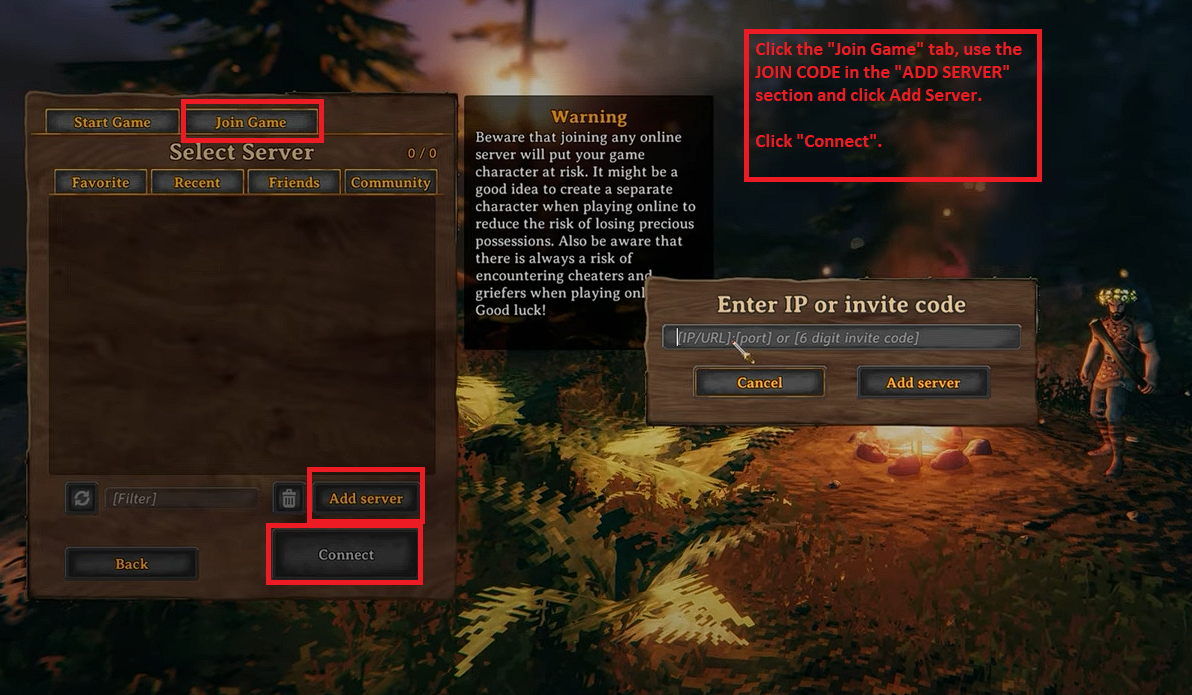
• To check the "Join Code", press ESC on your keyboard while in-game.
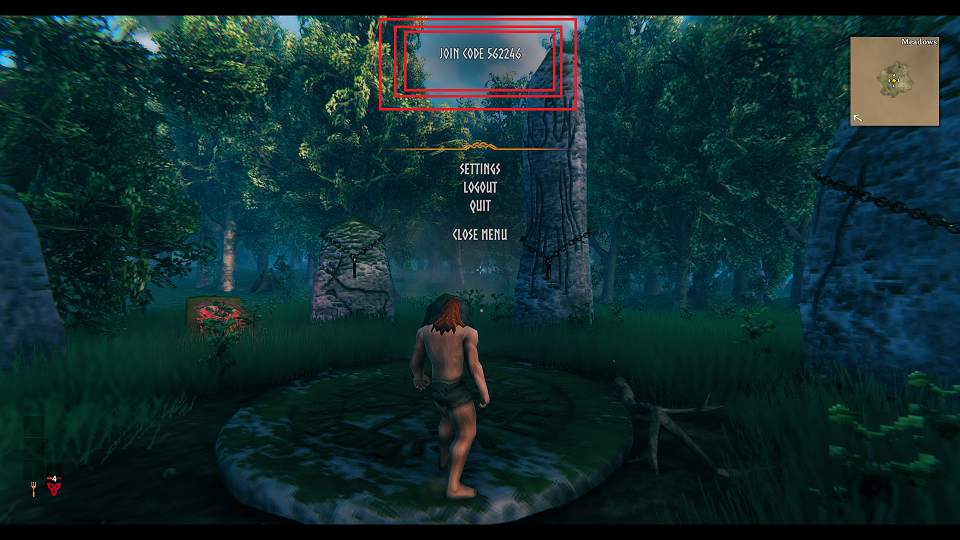
(You can use the "Join Code" for both Steam and Game Pass.)
Note: The join code changes every time the server restarts, so don't forget to provide a new join code!
If you encountered issues during the process,
Please click here to send a ticket to our team.
