
This guide will show you how to change Terraria Server World Difficulty with TEdit
Click here to order your Terraria server with AA Game Hosting.
Running a Terraria server often means adapting your world to the needs of your players, whether that’s making things more challenging, easing the difficulty for newcomers, or correcting a world that was created with the wrong settings. While Terraria doesn’t let you change a world’s difficulty after creation through normal gameplay, TEdit gives you full control to modify world properties safely and directly. This guide walks you through the process of editing an existing Terraria server world’s difficulty using TEdit, explaining what each difficulty mode changes, how to safely back up your world, and how to apply the correct settings so your server loads the updated difficulty without errors. Whether you're switching from Classic to Expert, Expert to Master, or enabling Journey mode features, you’ll find the steps simple and reliable.
Editing Terraria World Difficulty with TEdit
1. Before anything else, log in to your Game Panel (You can click this link for easy access) and navigate to your Game Services.
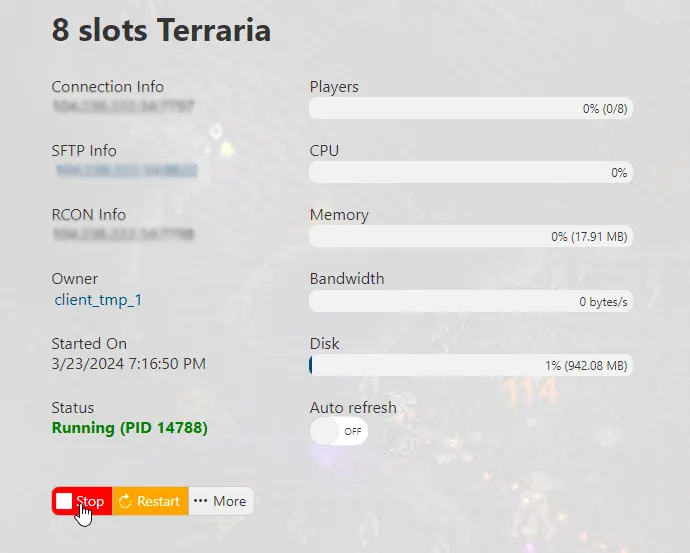
Make sure to stop your server for now by clicking on the "Stop" button.
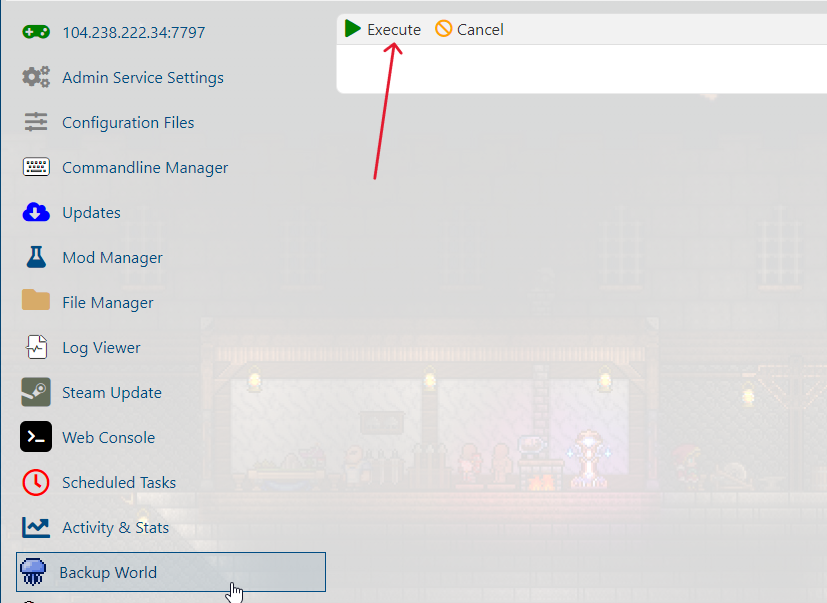
2. For safety measures, the next step would be to back up your current world file. To do that, go to the Backup World section, press the "Execute" button, and wait for the process to finish.
3. The next step is to download your world file. You can do it in two ways:
a.) Using an FTP Client. (Check out our FTP Setup guide.)
b.) Using the File Manager in your Game Panel.
In this tutorial, we'll be using the FTP client, FileZilla.
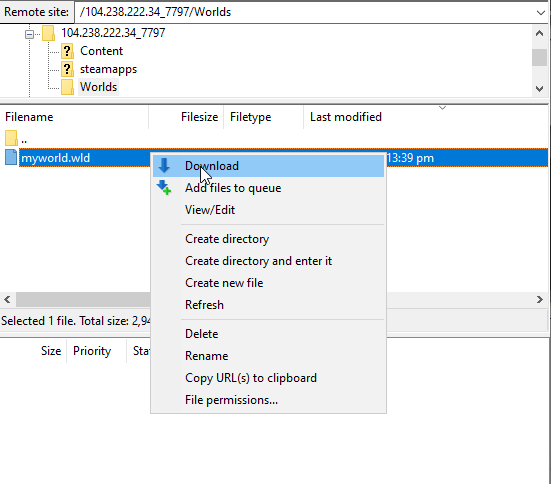
After connecting to your Game Server using FileZilla, navigate to Worlds the folder.
You will see your world file with a .wld extension.
You can either right-click on the file and press Download or drag and drop the file to your local folder.
4. To download TEdit, follow this link, https://github.com/TEdit/Terraria-Map-Editor/releases/, and download it TEdit_main.zip in the Assets section. Extract the zip file. Inside it, navigate to the TEdit_main folder and open TEdit.exe.
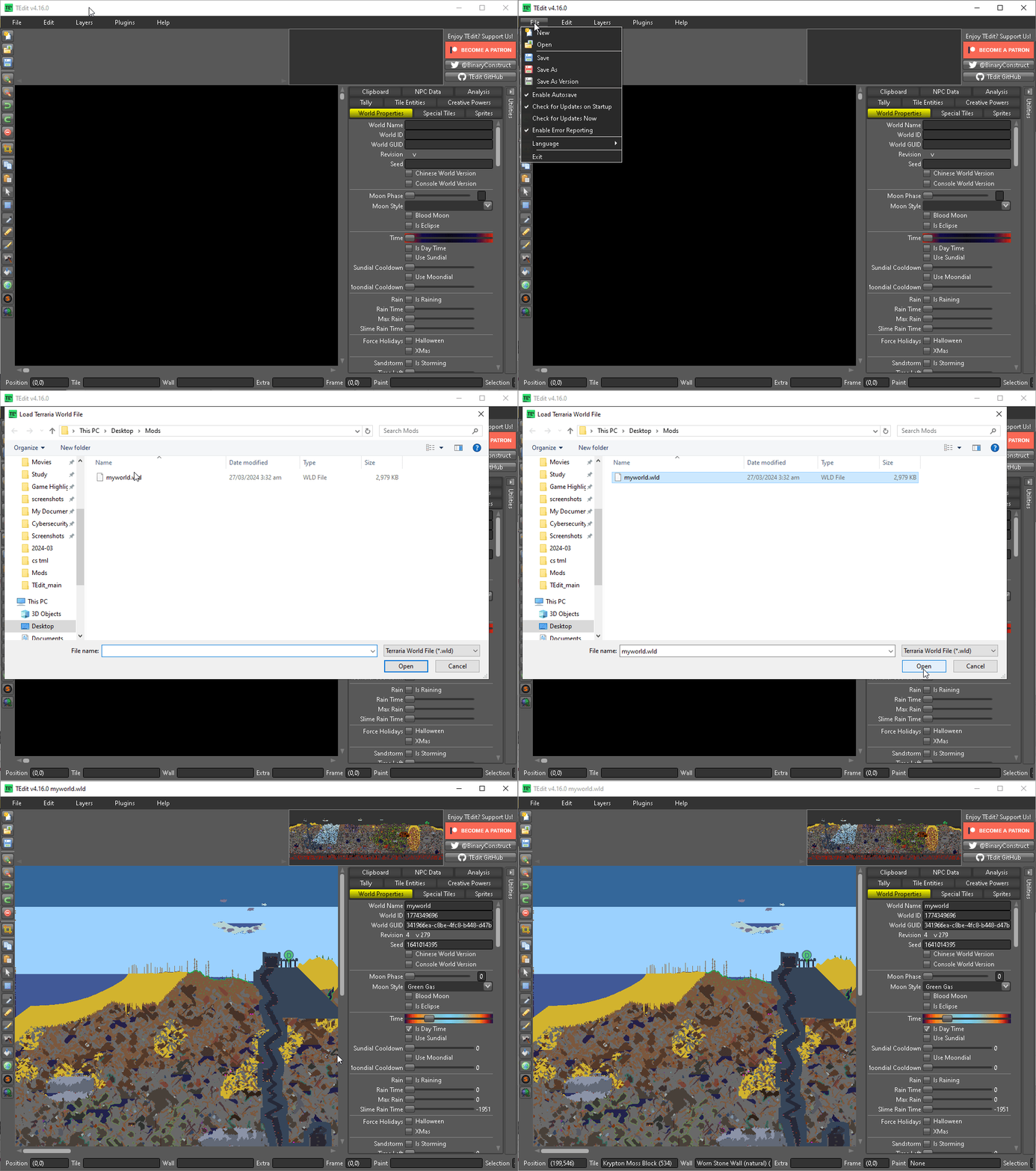
5. To open your world in TEdit, go to File > Open and navigate to where your world file is, select the file, then press Open.
6. On the right side panel of TEdit, navigate to World Properties. Scroll down a bit, and you will see the Game Mode option. Select the difficulty you want to play on, and press File > Save.
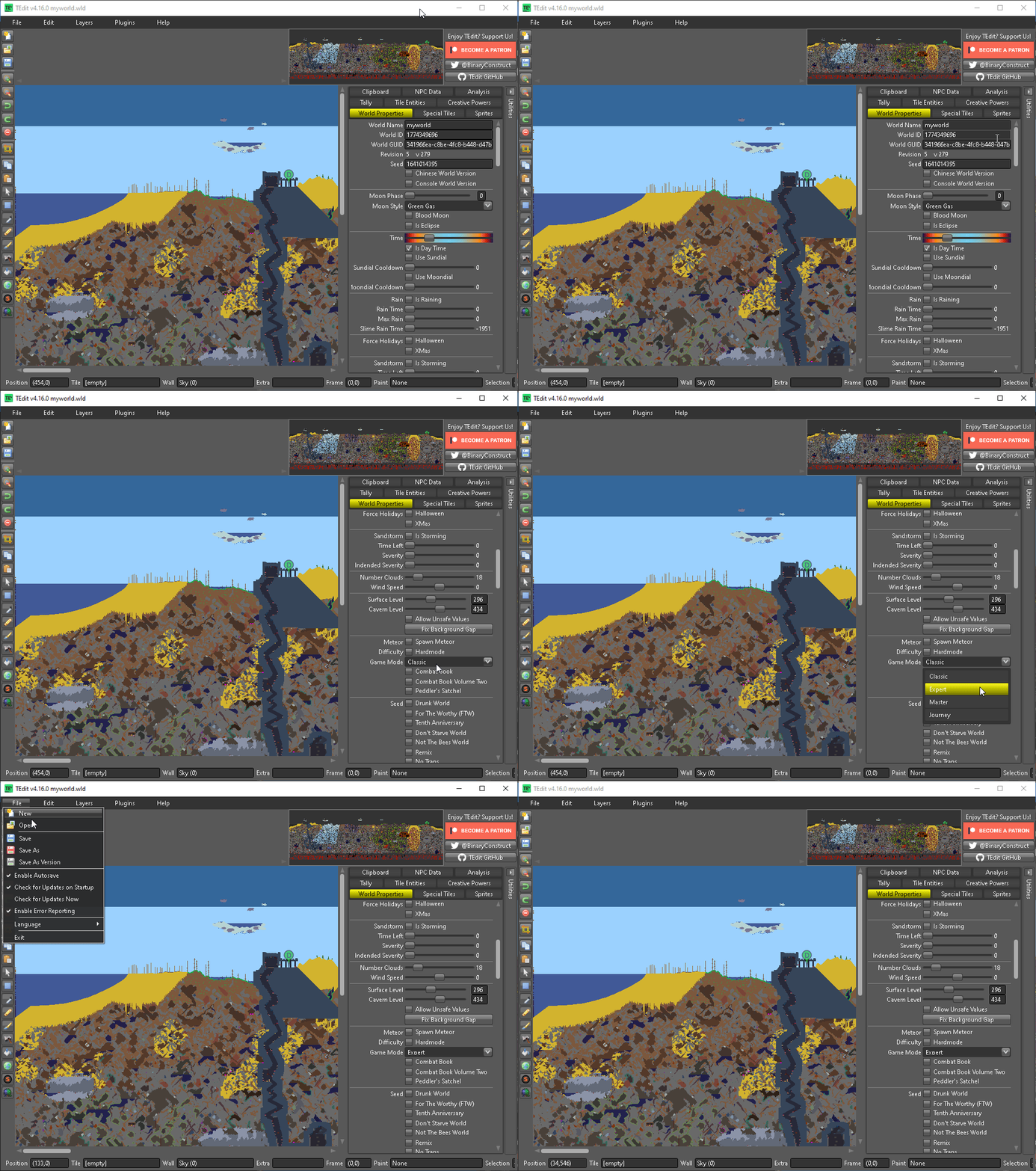
A World Save Complete message on the bottom right section of the screen will appear after successfully saving.

7. Using FileZilla again (or your Game Panel's File Manager), upload the newly edited world file to your server and overwrite your old world file. This should be safe, as you have backed up your world earlier.
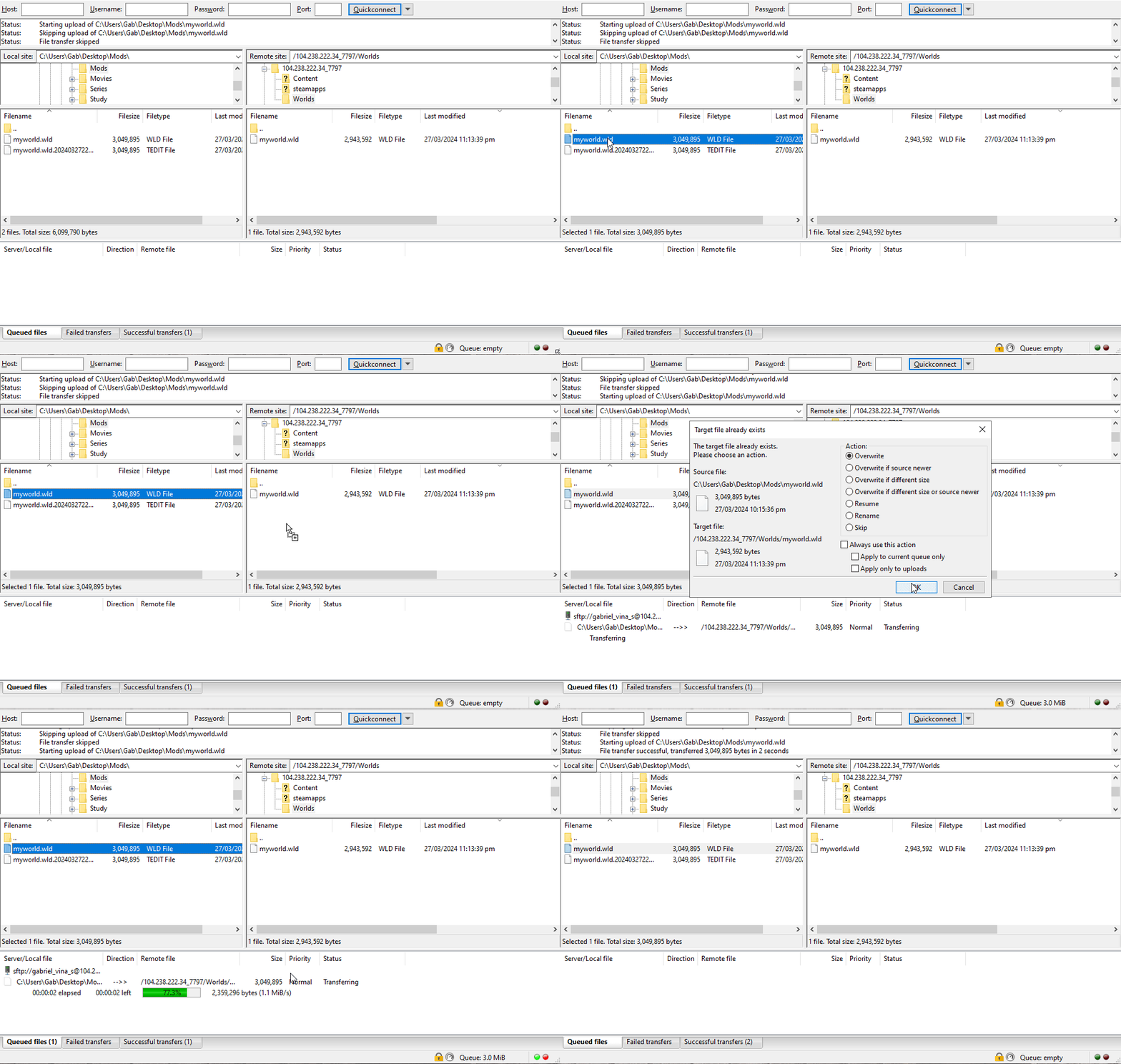
You can now play your existing world with your chosen world difficulty!
Start the server on your Game Panel and start playing with your new difficulty.
If you encountered issues during the process,
Please click here to send a ticket to our team.
