

This guide will help you Whitelisting Your Space Engineers Torch Server
Click here to order your Space Engineer server with AA Game Hosting today!
Whitelisting your Space Engineers Torch Server is one of the simplest and most effective ways to keep your world secure, stable, and free from unwanted disruptions. By enabling a whitelist, you control exactly who can join your server—ensuring that only approved players can connect, build, and interact with your creations. This not only protects your community from griefing and random joiners but also helps maintain server performance by limiting access to trusted participants. Whether you're running a private world for friends or managing a larger community, setting up whitelisting is a foundational step toward a smoother, safer multiplayer experience.
Setting Up Whitelisting on a Torch Server
(Note: You need to install the Torch Framework first. To know more, click here.)
1. Log in to the Game Panel
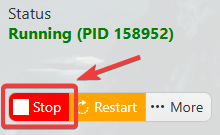
2. Before making any modifications, stop the server from running by clicking the Stop button.
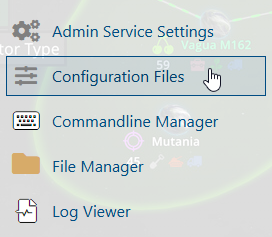
3. Navigate to the Configuration Files section.
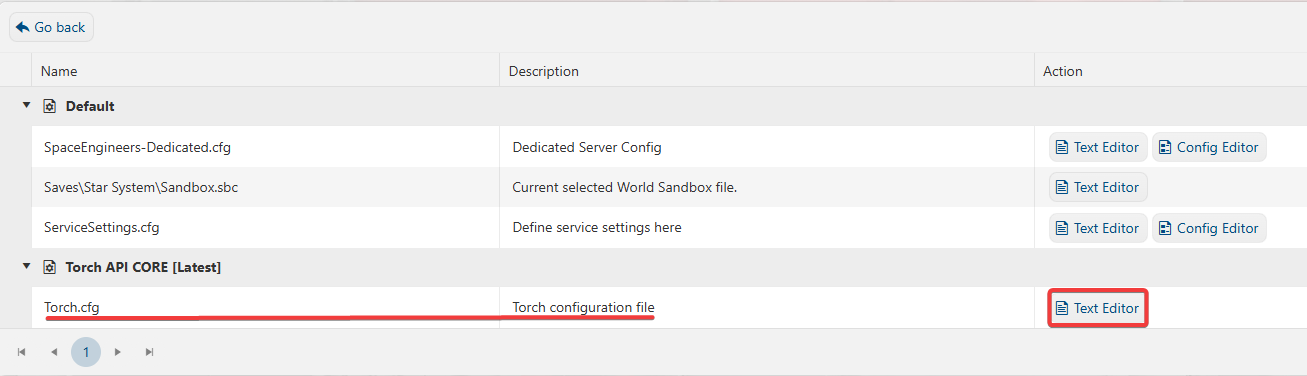
4. On the Configuration Files, you will see the Torch.cfg file, which is the Torch Configuration File. Click the Text Editor.
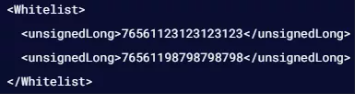
5. On the Config Editor, look for <EnableWhitelist>false</EnableWhitelist> Line and enable it by changing it to True. Replace the <Whitelist /> with the following:<Whitelist><unsignedLong>STEAMID64</unsignedLong></Whitelist>
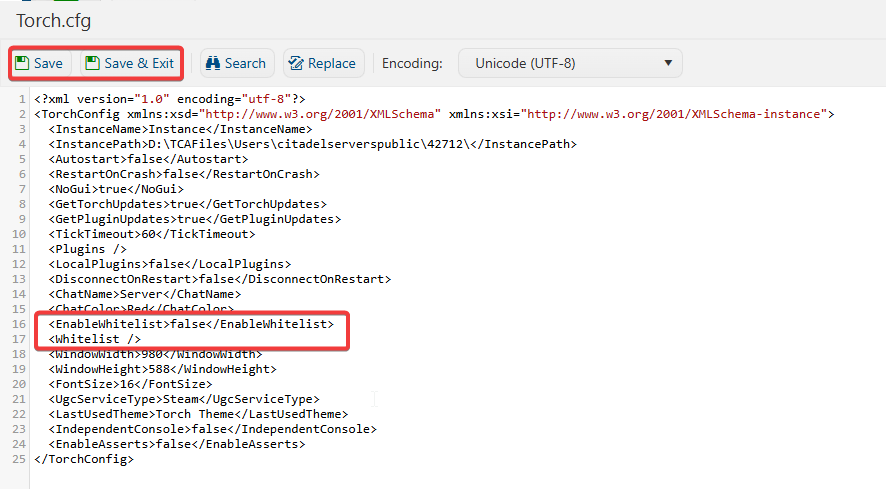
6. After editing, click Save to apply the changes.
Experience your server in a safe and secure environment.
