

This guide will help you How to Configure or replace the Game Mode on a Space Engineers Server
Click here to order your Space Engineer server with AA Game Hosting today!
Changing the game mode on your Space Engineers server is one of the simplest ways to redefine how players experience your world. Each mode, Survival, Creative, or a custom configuration, shifts the balance between challenge, freedom, and progression. Whether you want to tighten the difficulty for a more demanding survival run, open the sandbox for large‑scale building, or fine‑tune settings for a hybrid experience, adjusting the game mode gives you direct control over how your server plays. This guide walks you through what each mode offers, why you might choose one over another, and how to configure or replace the game mode on your server. By the end, you’ll be able to tailor gameplay to match your community’s style, performance needs, and long‑term goals. If you want to explore game mode differences or build a step‑by‑step section, I can help you expand this into a full guide.
Switching Your Space Engineers Server to a New Game Mode
1. Log in to the Game Panel
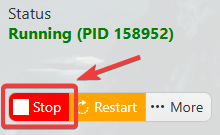
2. Before making any modifications, stop the server from running by clicking the Stop button.
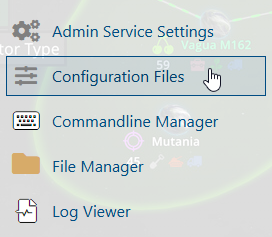
3. Navigate to the Configuration Files section.
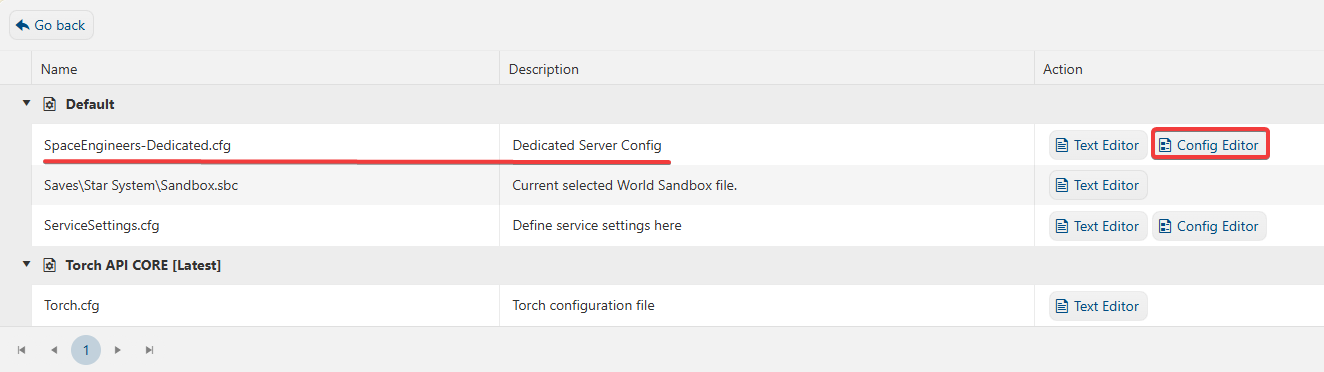
4. On the Configuration Files, you will see the SpaceEngineers-Dedicated.cfg file, which is the General Server Config. Click the Config Editor.
5. On the Config Editor, look for Game Mode and change it based on your preferred Game Mode.
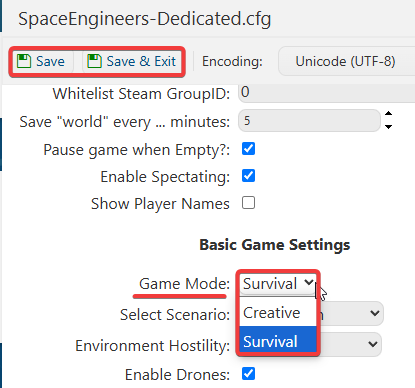
6. After editing, click Save to apply the changes.
If you want to change the server name directly in the file instead of using our UI, you can click the Text Editor beside the Config Editor and make the changes from there.
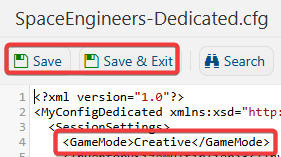
In this way, you are ensured that any custom changes that you made, like mods and custom scenarios, will be saved and not be affected by the Config Editor preset.
