

This guide will help you How to Turn On Crossplay for your Space Engineers Server
Click here to order your Space Engineer server with AA Game Hosting today!
Enabling crossplay on your Space Engineers server opens the door for players across Steam, Xbox, and Game Pass to explore, build, and survive together in the same universe. Whether you're running a private world for friends or hosting a large community server, turning on crossplay ensures everyone can join the action regardless of platform. This guide walks you through the exact steps to activate crossplay support, explains what settings matter, and highlights a few important limitations to keep in mind so your server runs smoothly once players start connecting.
Enabling Crossplay on Your Space Engineers Server
1. Log in to the Game Panel
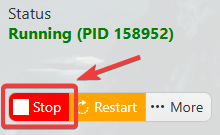
2. Before making any modifications, stop the server from running by clicking the Stop button.
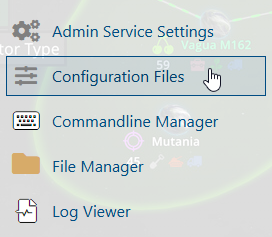
3. Navigate to the Configuration Files section.
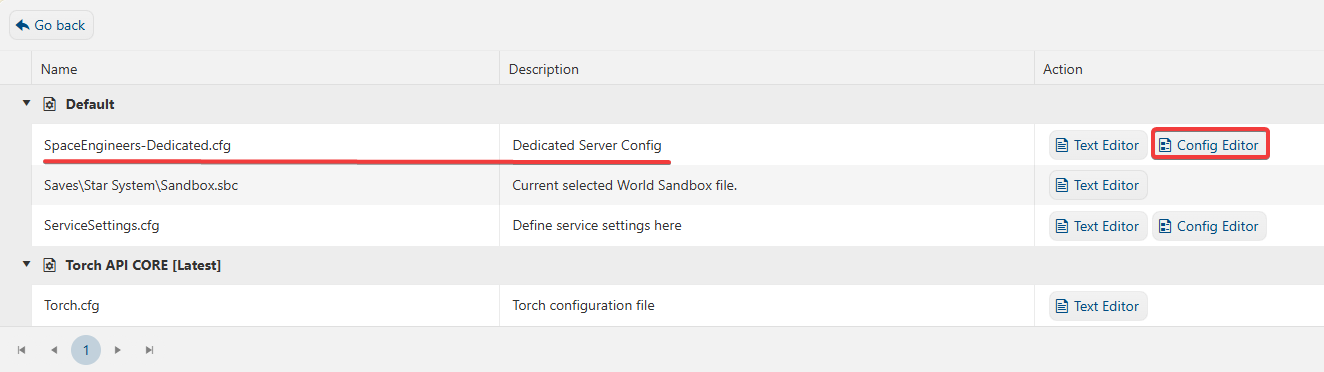
4. On the Configuration Files, you will see the SpaceEngineers-Dedicated.cfg file, which is the General Server Config. Click the Config Editor.
5. On the Config Editor, look for Crossplay Option and enable it by ticking the box. You can also change the networking type to cater to other platforms.
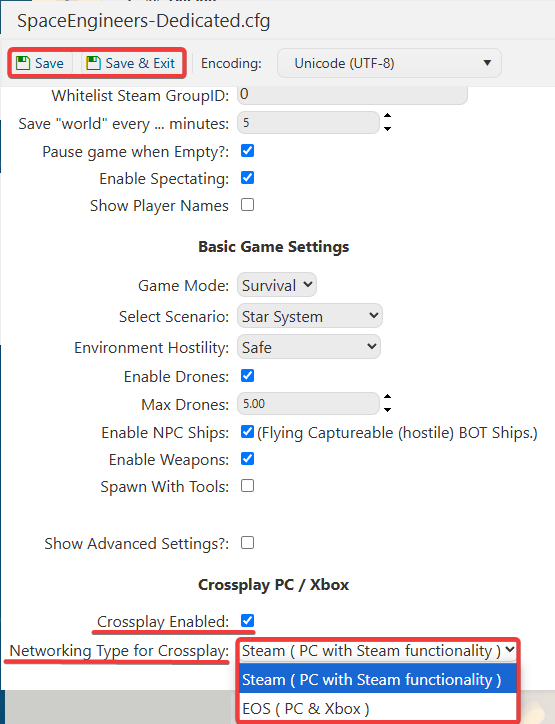
6. After editing, click Save to apply the changes.
If you want to change the server name directly in the file instead of using our UI, you can click the Text Editor beside the Config Editor and make the changes from there.
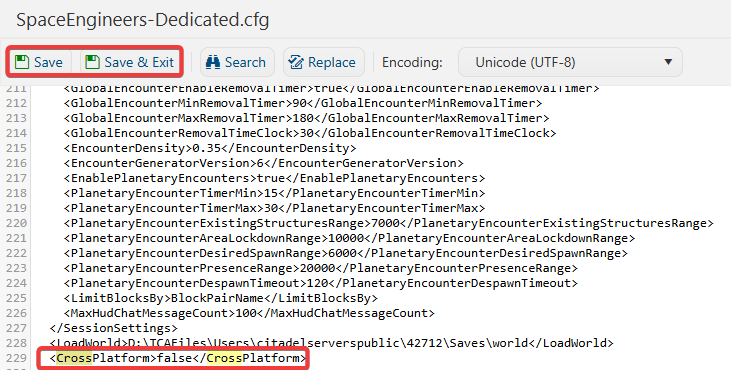
In this way, you are ensured that any custom changes that you made, like mods and custom scenarios, will be saved and not be affected by the Config Editor preset.
