

This guide will help you How to Configure or replace the Scenario on a Space Engineers Server
Click here to order your Space Engineer server with AA Game Hosting today!
Configuring or replacing the scenario on your Space Engineers server is one of the quickest ways to reshape the entire experience for your players. Each scenario comes with its own rules, starting conditions, world layout, and gameplay style so switching to a new one can feel like launching a completely different game. Whether you want a structured survival challenge, a creative sandbox, or a custom scenario you’ve built yourself, adjusting this setting lets you tailor the server to your community’s vision. In this guide, you’ll learn what scenarios actually control, why you might want to swap them out, and the exact steps to load a new one on your server. By the end, you’ll be ready to customize your world with confidence and choose the scenario that best fits your playstyle. If you want help exploring scenario types or drafting a step‑by‑step section, I can build those next.
Switching Your Space Engineers Server to a New Scenario
1. Log in to the Game Panel
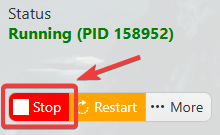
2. Before making any modifications, stop the server from running by clicking the Stop button.
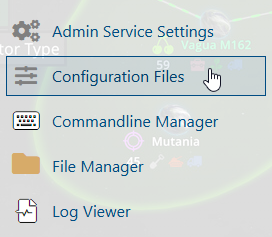
3. Navigate to the Configuration Files section.
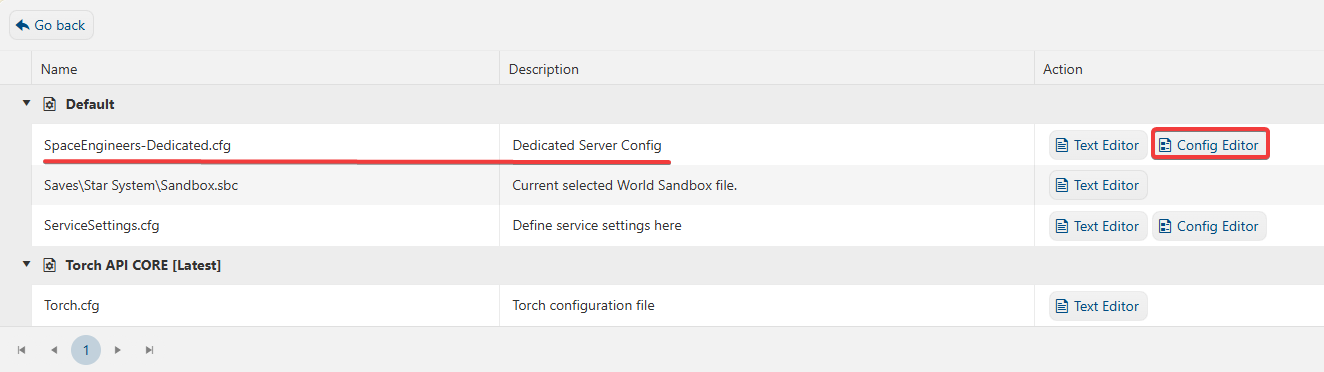
4. On the Configuration Files, you will see the SpaceEngineers-Dedicated.cfg file, which is the General Server Config. Click the Config Editor.
5. On the Config Editor, look for Select Scenario and choose the preferred scenario that you want to play.
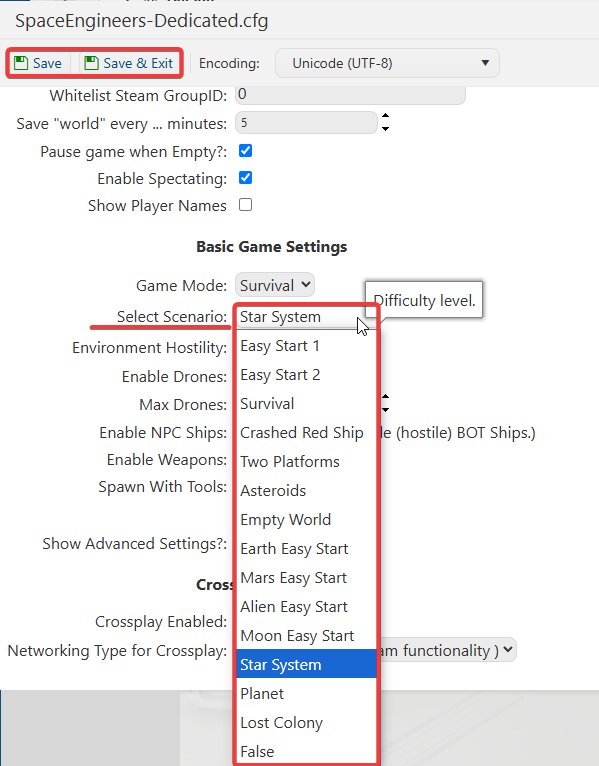
6. After editing, click Save to apply the changes.
