

This guide will help you on How to Install ULX/ULIB on your Garry's Mod Server.
Click here to order your Garry's Mod server with AA Game Hosting today!
ULX and ULIB are two essential tools for server administrators who want to enhance their Garry's Mod experience. ULX is a powerful admin mod that provides a variety of commands for managing your server, while ULIB is the underlying library that supports ULX and other addons. Together, they give you full control over permissions, player management, and server administration. In this guide, we’ll walk you through the process of installing ULX and ULIB on your Garry's Mod server, allowing you to easily manage and customize your server’s features. Whether you're new to server administration or just looking to streamline your management tools, installing these mods is a must for any serious Garry's Mod server owner. Let’s get started!
Installing ULX/ULIB on your Garry's Mod Server
1. Download the ULX and ULIB here.
2. After downloading, log in to your Game Control Panel and navigate to your service.
3. Before making any modifications, stop the server from running by clicking the Stop button.

4. Navigate to File Manager Tab.
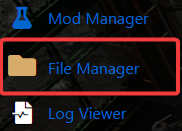
5. On the File Manager, look for garrysmod/addons and extract the downloaded files here.
6. After extracting the files, start your server and the files should be created for ULX and ULIB.
7. If you plan to edit any of the configurations for ULX or ULIB make sure to do it in these files and not the ones located in the addons directory.
Using ULX
Type the following command:
ulx adduser <putyournamehere> superadmin
So, if your name was David, you'd type:
ulx adduser David superadmin
This will promote you to the superadmin rank.
Did the above information not work for you?
Please click here to contact our support via a ticket.
