
This guide will help you on how to change map on your Garry's Mod server.
Click here to order your Garry's Mod server with AA Game Hosting today!
Running a Garry’s Mod server is all about creating the right experience for your players, and one of the simplest ways to keep things fresh is by switching up the map. Whether you’re hosting sandbox sessions, roleplay scenarios, or fast-paced game modes, knowing how to change maps ensures your server stays engaging and tailored to your community’s needs. In this guide, we’ll walk through the process step by step, so you can easily swap maps whenever you want whether it’s to test new content, rotate gameplay styles, or just keep things interesting.
Changing Maps on your Garry's Mod Server
There are two different ways to change your server's map - either by manually uploading them or by using the Steam Workshop.
IMPORTANT: You will have to download the map from another site. The best place to find up-to-date maps is from the Steam Workshop. If you have another website you prefer, then follow the below steps.
Otherwise, if you plan on using the Steam Workshop, please follow the "How do I set up the Steam Workshop" article.
1. Log in to your Game Control Panel and navigate to your service.
2. Before making any modifications, stop the server from running by clicking the Stop button.

3. Go to the File Manager Tab.
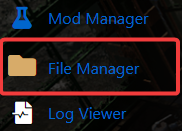
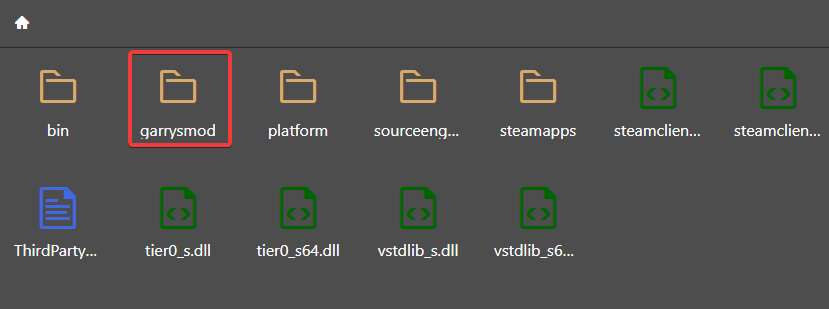
4. On the File Manager, click the "garrysmod" folder.
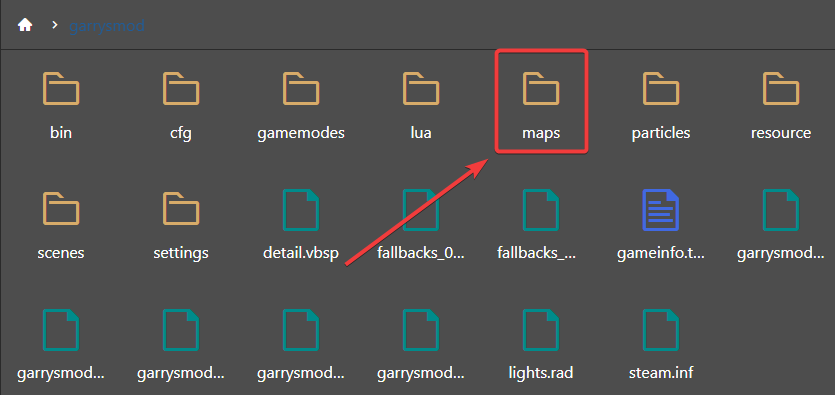
Then on that folder, click the "Maps" folder.
5. On the Maps folder, click the "Upload" button then choose the map file that you wanted on your server. We highly recommend you to use FTP like Filezilla for faster and more secured file transfers.
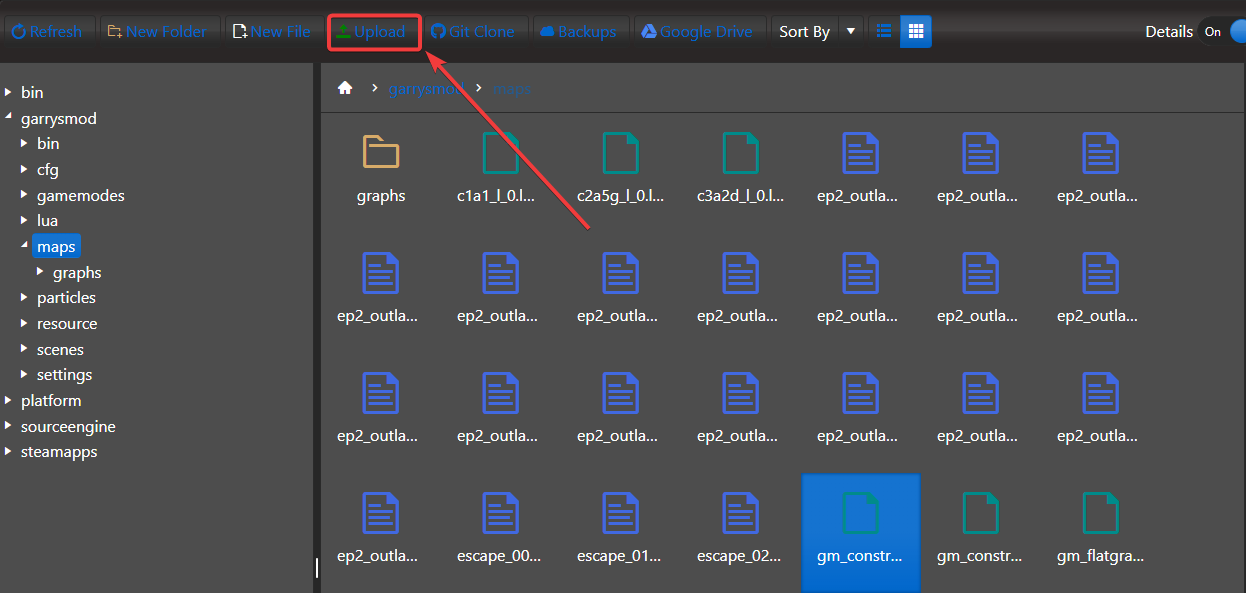
Find your map's .bsp file on your computer that you downloaded from another site.
Now your map has been uploaded, you need to select it to load with the server.
6. Navigate to Commandline Manager.
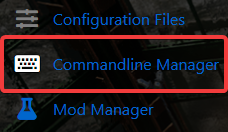
7. Select your commandline you want to use, in the map dropdown box your map will now appear,
select it and hit save, start your server and it will start with this map.
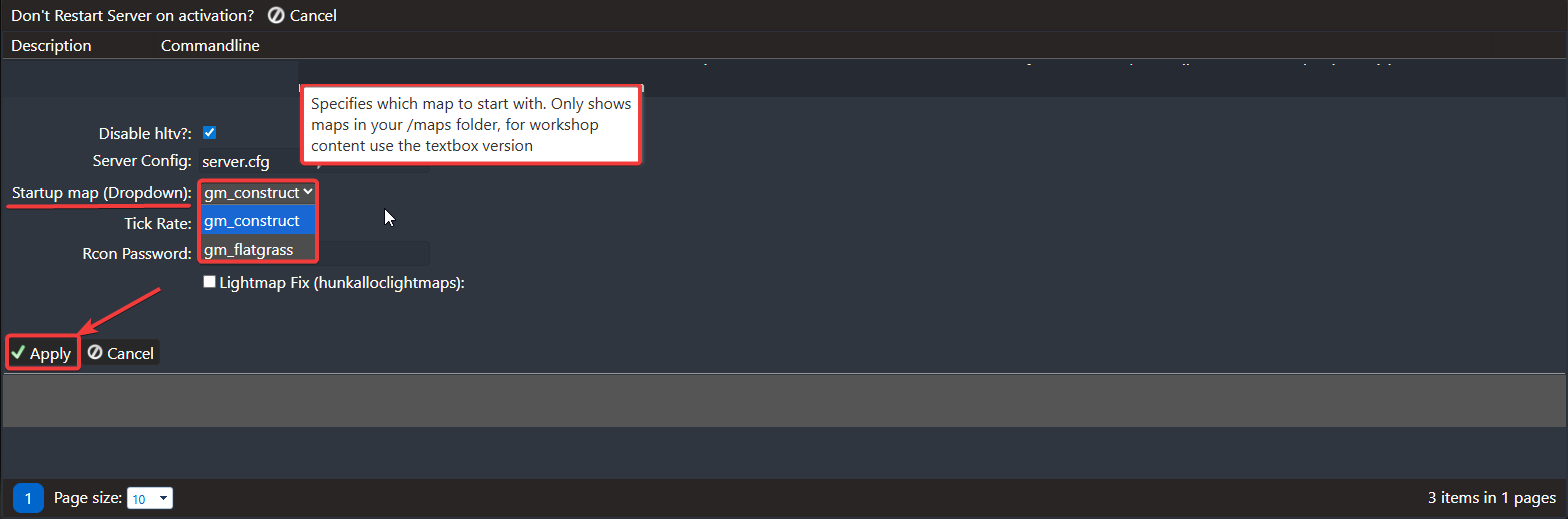
If you don't see your map in the dropdown list, it's one of two things, either you are using workshop (To which you should use the textbox instead of dropdown in the custom commandline section)
or the file failed to upload\is not a .bsp file (All garrysmod maps are .bsp format, a zipped file will need to be extracted)
Please click here to contact our support via a ticket.
