
This guide will help you on how to change map on your Garry's Mod server.
Click here to order your Garry's Mod server with AA Game Hosting today!
One of the best things about Garry’s Mod is its flexibility you’re not locked into a single style of play. From sandbox building to roleplay, murder mystery, or fast‑paced Trouble in Terrorist Town, the game thrives on variety. Running your own server means you get to decide which game mode sets the tone for your community. Knowing how to switch game modes is key to keeping your server fresh, engaging, and tailored to what your players enjoy most. In this guide, we’ll walk through the simple steps to change your Garry’s Mod server’s game mode, so you can easily adapt the experience to fit your vision.
Changing Game Modes on your Garry's Mod Server
1. Log in to your Game Control Panel and navigate to your service.
2. Before making any modifications, stop the server from running by clicking the Stop button.

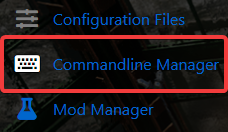
3. Navigate to Commandline Manager.
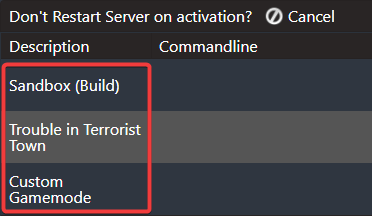
4. On the Commandline Manager, you can choose between Sandbox, Trouble in Terrorist Town or Custom Game Modes.
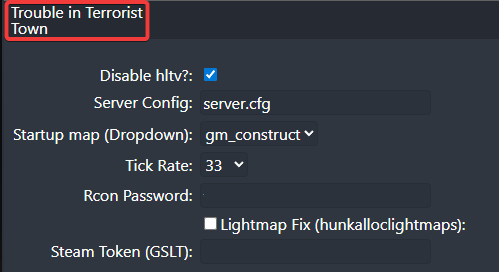
5. Click Modify to your chosen commandline and configure the rest of the settings based on your preferences.
6. After editing, click the Apply button to save the changes on your server.
Did the above information not work for you?
Please click here to contact our support via a ticket.
