

This guide will help you on how to connect using IP address on your Garry's Mod server.
Click here to order your Garry's Mod server with AA Game Hosting today!
Garry’s Mod (often called GMod) is one of the most versatile sandbox games out there, letting players build, roleplay, and explore countless custom game modes. While the in-game server browser is handy, sometimes the fastest and most reliable way to join a server is by connecting directly through its IP address. Whether you’re setting up a private session with friends or joining a community server, knowing how to connect via IP is an essential skill for any GMod player. In the following steps, we’ll walk through the process so you can jump straight into the action without hassle.
Connecting using IP Address on your Garry's Mod Server
1. Log in to your Game Control Panel and navigate to your service.
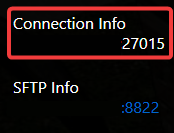
2. Copy the Connection Info on the dashboard of your server.
3. Start the server and Launch the game.
4. Open the Console and type "connect [space] IP: Address" then hit Enter.
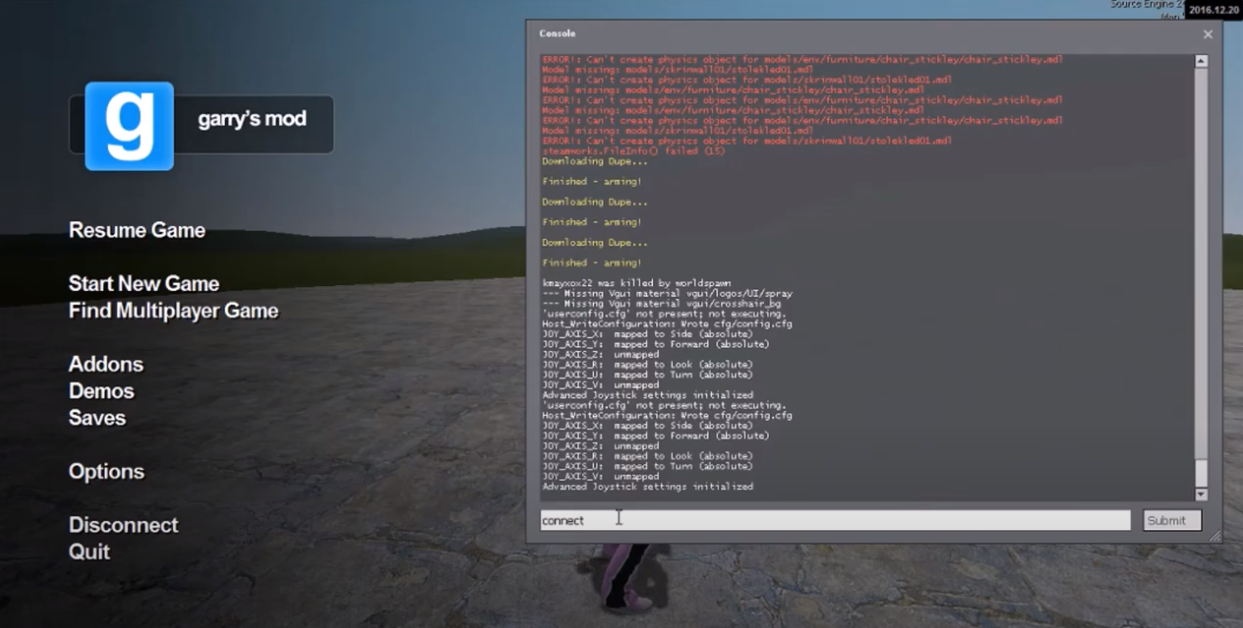
You will be directly connected to your server.
Did the above information not work for you?
Please click here to contact our support via a ticket.
