
This guide will help you on how to connect to your Empyrion Galactic Survival Server.
Click here to order your Empyrion Galactic Survival with AA Game Hosting today!
If you’re ready to step into the vast universe of Empyrion Galactic Survival with us, this guide will walk you through the process of joining our dedicated server. Whether you’re a seasoned pilot or just starting your journey among the stars, connecting to the server is quick and straightforward. Joining a multiplayer server transforms Empyrion from a solo survival challenge into a shared adventure. You’ll be able to build bases with allies, explore planets together, and engage in epic space battles all while being part of a thriving community.
Connecting to your Empyrion Galactic Survival Server In-Game
1. Log in to your Game Control Panel and navigate to your service.
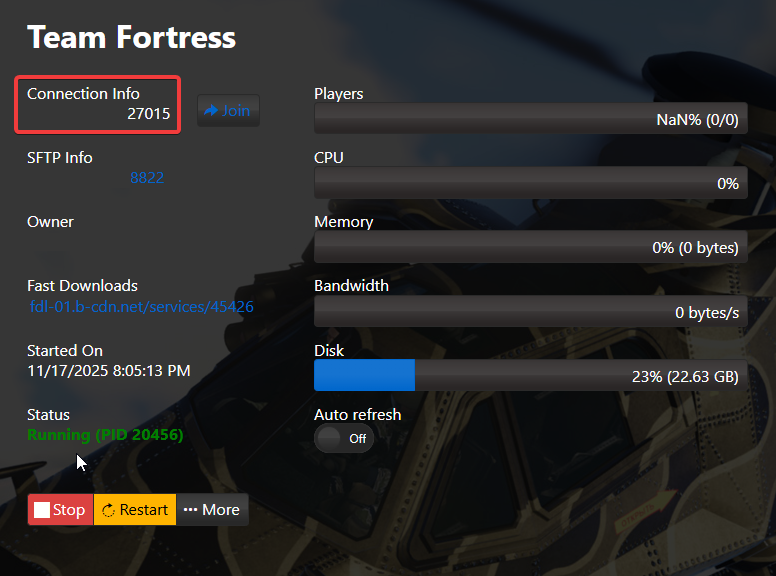
2. Copy your Connection Info IP and Start your Server.
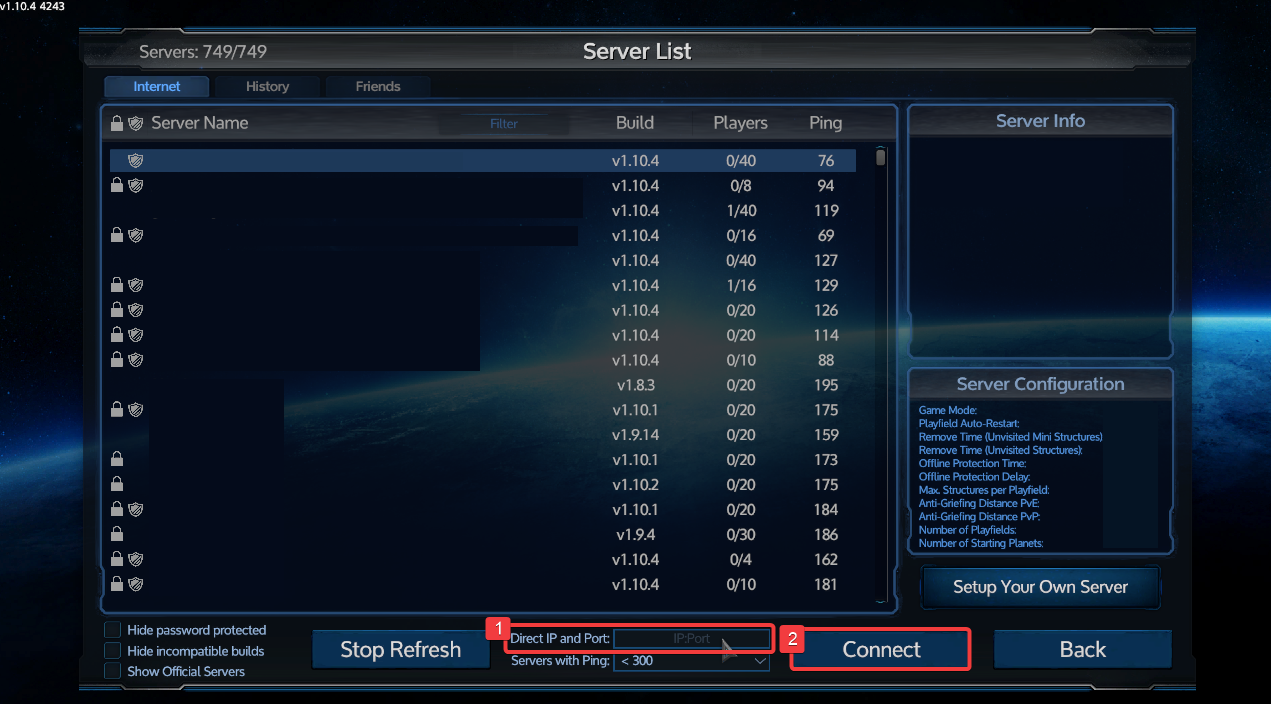
3. Launch the Game and choose Multiplayer. then enter your Connection Info IP in the Direct IP and Port box, then click Connect.
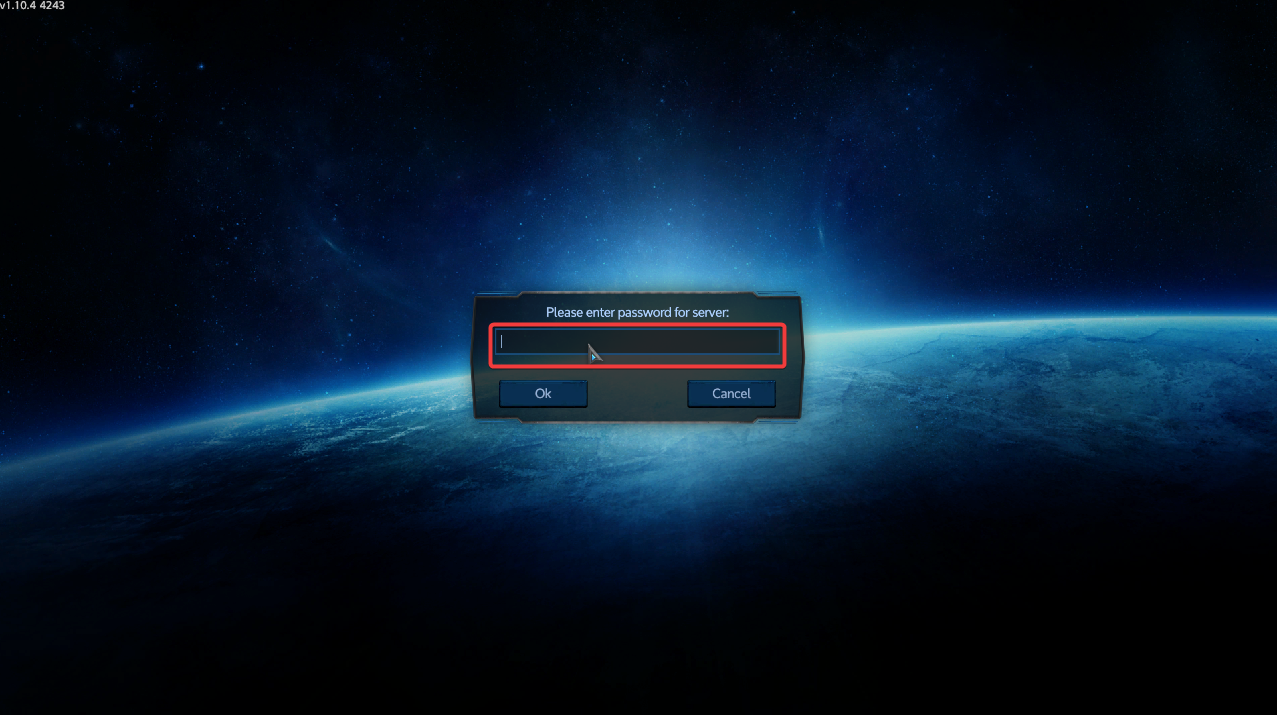
4. Enter the server password if prompted.
Did the above information not work for you?
Please click here to contact our support via a ticket.
