
This guide will help you with how to resolve the Steam Update Error on your ARK: Ascended Server
Steam update errors on ARK: Survival Ascended servers usually appear when the game files on the server don’t match the latest version released on Steam. This mismatch can prevent the server from starting, stop players from joining, or cause the server to hang during initialization. Resolving the issue involves verifying the server’s installation, forcing a clean update, and ensuring all files, including mods, are fully synchronized with the newest build. This introduction walks you through the essential steps to correct the Steam update error and get your ARK: Ascended server running smoothly again.
Fixing Steam Update Errors in ARK: Ascended
1. Log in to your Game Control Panel and navigate to your service.
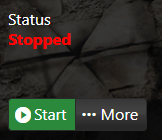
2. Before making any modifications, stop the server from running by clicking the Stop button.
3. Navigate to the Steam Update Tab.
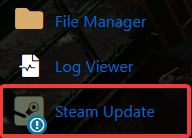
4. If you start the Steam Update and this error appears:
"Error! App '2430930' state is 0x6 after update job."
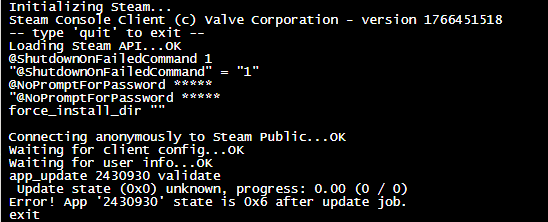
This indicates the Steam Update is failing to pull the newest patch, resulting in the server not appearing in the in‑game browser.
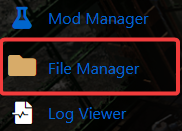
5. To resolve this issue, go to the File Manager tab.
6. Within the File Manager, navigate to the steamapps folder and delete it to clear the outdated files.
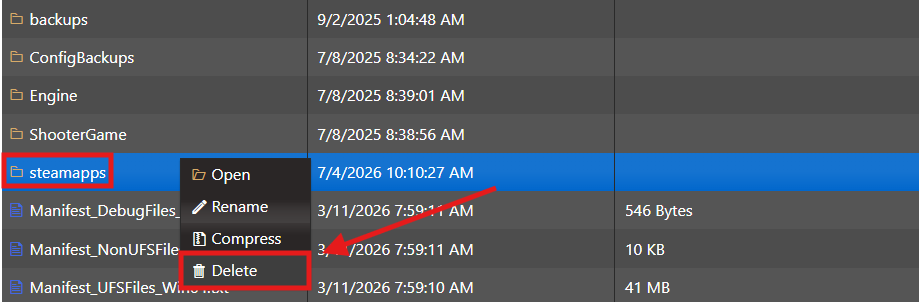
7. After deleting the SteamApps folder, run the Steam Update tab again. This will force the server to redownload all Steam files, including the latest game patch.
8. After the Steam Update completes, simply start your server and enjoy the game.

Did the above information not work for you?
Please click here to contact our support via a ticket.
