

This guide will help you How to Switch Gamemodes on your Wurm Unlimited Server
Start hosting your Wurm Unlimited world today with AA Game Hosting
Switching game modes on your Wurm Unlimited server allows you to tailor the gameplay experience to match the style you want for your community, whether that’s a relaxed creative environment, a challenging survival setup, or a custom configuration unique to your server. Because Wurm Unlimited stores its game mode settings within its server configuration files, adjusting these options requires accessing and modifying the correct parameters. This guide walks you through the process step‑by‑step so you can confidently change your server’s gamemode and ensure it loads with the settings you intend.
Managing and Changing Game Modes in Wurm Unlimited
1. Log in to your Game Control Panel and navigate to your service.
2. Before making any modifications, stop the server from running by clicking the Stop button.

3. Navigate to the Commandline Manager Tab to continue.
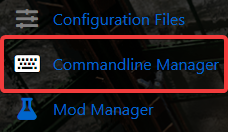
4. Click Modify on the active commandline in the Commandline Manager, then scroll to the Game Mode option and select your desired mode.
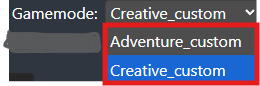
5. After selecting your game mode, click Apply to save the configuration on your server.

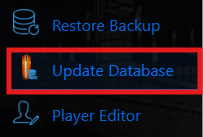
6. Click the Manual Database Update button in the control panel, and once it completes, start your server.
Did the above information not work for you?
Please click here to contact our support via a ticket.
