

This quick guide shows you how to Turn On Tree Regrowth for your The Forest Server
Click here to order your The Forest server with AA Game Hosting today!
Keeping your world healthy and renewable is an important part of running a long‑term The Forest server. Enabling tree regrowth ensures that forests naturally replenish over time, giving players a steady supply of logs for building, crafting, and expanding their base. Whether your community enjoys large‑scale construction projects or simply wants the world to feel alive and sustainable, turning this setting on helps maintain a balanced environment without needing to reset the map. In this guide, you’ll learn how to enable tree regrowth on your The Forest server so your world continues to recover and thrive as players explore, harvest resources, and build their settlements.
Enabling Tree Regrowth on your The Forest Server
1. Log in to your Game Control Panel and navigate to your service.
2. Before making any modifications, stop the server from running by clicking the Stop button.

3. Navigate to the Configuration Files Tab to continue.
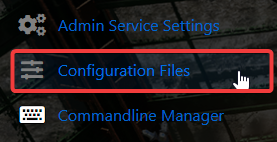
4. Go to the Configuration tab, find the server.cfg, and click the Text Editor to access its settings.

5. Find the RegrowTrees entry in the Text Editor, then change its value to On to allow trees to regrow over time.

6. When you’re finished, click Save to ensure all adjustments are applied.

Did the above information not work for you?
Please click here to contact our support via a ticket.
