
This quick guide shows you how to Protect Buildings by Disabling Structure Damage in the Forest Server
Click here to order your The Forest server with AA Game Hosting today!
Protecting your base is one of the most important parts of running a The Forest server, especially if you’re hosting a community that prefers building, exploration, or relaxed survival. By disabling structure damage, you can ensure that player‑made buildings stay intact, no matter how many cannibals attack, how chaotic combat gets, or how many new players join your world. This setting is perfect for creative builders, casual groups, or servers focused on long‑term projects where losing progress would be frustrating. In this guide, you’ll learn exactly how to turn off structure damage on your The Forest server so your community can build freely without worrying about accidental destruction or enemy raids.
Disabling Structure Damage on Your The Forest Server
1. Log in to your Game Control Panel and navigate to your service.
2. Before making any modifications, stop the server from running by clicking the Stop button.

3. Navigate to the Configuration Files Tab to continue.
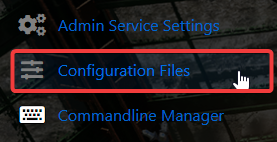
4. Go to the Configuration tab, find the server.cfg, and click the Text Editor to access its settings.

5. In the Text Editor, locate the AllowBuildingDestruction line and set its value to On to enable structural damage.

6. When you’re finished, click Save to ensure all adjustments are applied.

Did the above information not work for you?
Please click here to contact our support via a ticket.
