

This guide will help you install SourceMod and MetaMod on your Team Fortress 2 Server
Buy Your Team Fortress 2 Server Today and Start Playing Immediately
Installing MetaMod and SourceMod is one of the best ways to expand your Team Fortress 2 server with powerful admin tools, custom plugins, and advanced server management features. Whether you want to automate moderation, add fun gameplay enhancements, or unlock deeper control over your server, these two frameworks form the foundation of nearly all TF2 server modding. This guide walks you through the installation process step‑by‑step, ensuring you set everything up correctly and get your server ready for plugins in just a few minutes.
Installing MetaMod and SourceMod
SourceMod is a versatile plugin framework widely used in Steam games like Team Fortress 2, enabling features such as voting systems, minigames, enhanced moderation tools, and general server utilities. Because SourceMod relies on MetaMod to load and manage its plugins, the two are almost always installed together. One of SourceMod’s biggest advantages is its built‑in admin system, which provides robust server management capabilities not available in vanilla TF2.
1. Log in to your Game Control Panel and navigate to your service.
2. Before making any modifications, stop the server from running by clicking the Stop button.

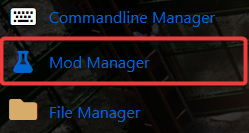
3. Navigate to the Mod Manager Tab to continue.
4. Install both MetaMod and SourceMod by clicking the Install button on each.
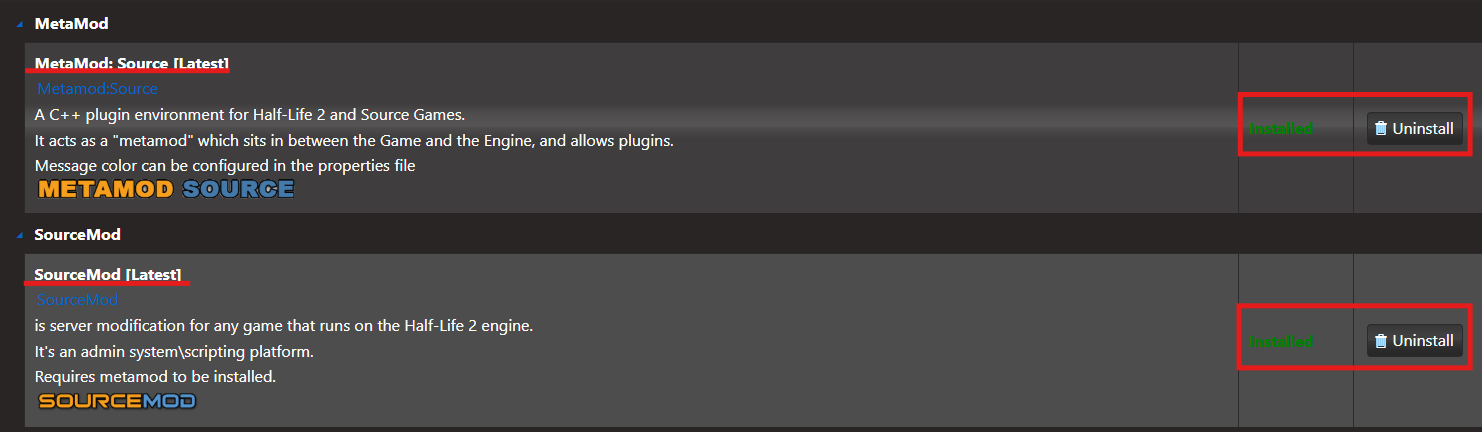
Once everything is installed, you’re ready to use these tools to expand your server’s capabilities.
Did the above information not work for you?
Please click here to contact our support via a ticket.
