

This guide will help you How to Configure Player Limits and Team Size on your Starbound Server
Spin Up Your Starbound Server in Minutes Using AA Game Hosting
Configuring player limits and team size on your Starbound server is an essential part of shaping the kind of multiplayer experience you want to offer. Whether you're hosting a small group of friends, running a public community server, or fine‑tuning gameplay balance, adjusting these settings gives you full control over how many players can join and how large each team can be. In this guide, you’ll learn where to find these options, how each setting affects gameplay, and the best practices for customizing them so your server runs smoothly and fits the style of adventure you want to create.
Adjusting Max Players and Team Size on Your Starbound Server
1. Log in to your Game Control Panel and navigate to your service.
2. Before making any modifications, stop the server from running by clicking the Stop button.

3. Navigate to the Configuration Files Tab to continue.
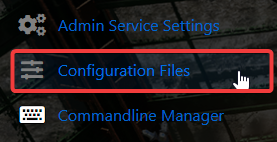
4. In the Configuration tab, locate the storage\starbound_server.config file. Click the Text Editor next to the Config Editor to open it.

5. Look for the Max Players and Max Team Size lines in the Text Editor, then modify the values to your desired settings.
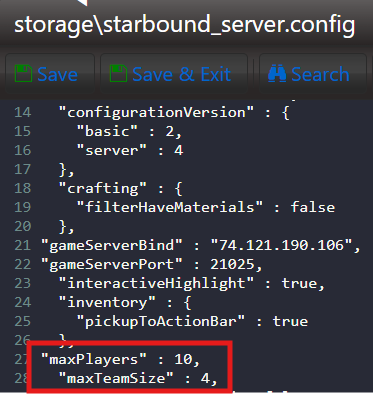
6. When you’re finished, click Save to ensure all adjustments are applied.

Did the above information not work for you?
Please click here to contact our support via a ticket.
