

This guide will help you How to Configure and Customize Your Sons of the Forest Server
Get Your Sons of the Forest Server Online in Minutes with AA Game Hosting
Customizing your Sons of the Forest server gives you full control over how the game plays, feels, and challenges your community. Instead of relying on the default experience, you can fine‑tune everything from difficulty and survival mechanics to world behavior and player freedoms so the server matches the exact style of gameplay you want to offer. Whether you're building a hardcore, resource‑scarce survival world or a relaxed, exploration‑friendly environment, configuring your server settings ensures every player steps into an experience shaped with intention. This guide walks you through the essential settings, explains what each option does, and helps you tailor your server into the perfect version of Sons of the Forest for your group.
Configuring your Sons of the Forest Server
1. Log in to your Game Control Panel and navigate to your service.
2. Before making any modifications, stop the server from running by clicking the Stop button.

3. Navigate to the Configuration Files Tab to continue.
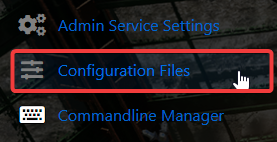
4. In the Configuration Files section, locate the DedicatedServer.cfg file. This is your main Sons of the Forest server configuration.
Click the Config Editor next to the Text Editor to open it.

We recommend making your changes through the Config Editor, which automatically handles formatting and reduces the risk of errors. If you choose to use the Text Editor, keep in mind that it opens the raw configuration file, and any incorrect formatting may affect how your server loads the settings.
5. You can customize key options such as the server name, password, anti‑cheat, difficulty level, and save slot if you have multiple saves available. When you’ve finished making adjustments, select Save & Exit to ensure all changes are applied.
Once everything is saved, you can proceed to start the server.
Did the above information not work for you?
Please click here to contact our support via a ticket.
