
This guide will help you How to Turn On Cheats and Creative Mode for your Sons of the Forest Server
Get Your Sons of the Forest Server Online in Minutes with AA Game Hosting
Turning on cheats and Creative Mode for your Sons of the Forest server lets you experiment, build freely, or manage your world with far more control than the standard gameplay allows. Whether you’re running a community server, testing new base designs, or just want a more relaxed survival experience with friends, enabling these features can transform how you play. This guide walks you through the process step‑by‑step, showing you where to adjust your server settings, how to activate specific cheat options, and what to expect once they’re enabled so you can tailor your server exactly the way you want and jump back into the island with full creative freedom.
Configuring Cheats & Creative Mode on Your SOTF Server
1. Log in to your Game Control Panel and navigate to your service.
2. Before making any modifications, stop the server from running by clicking the Stop button.
3. Navigate to the Configuration Files Tab to continue.
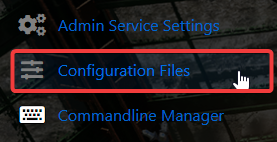
4. In the Configuration Files section, locate the DedicatedServer.cfg file. This is your main Sons of the Forest server configuration.
Click the Config Editor next to the Text Editor to open it.

5. Scroll to the Cheats and Creative Mode settings and customize them based on how you want your server to behave.
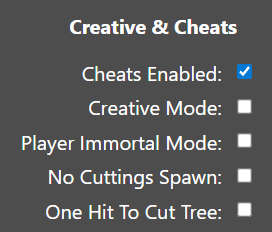
6. When you’re finished, click Save to ensure all adjustments are applied.

If you prefer to change the server name directly in the file rather than through our UI, click the Text Editor next to the Config Editor and make your adjustments there.
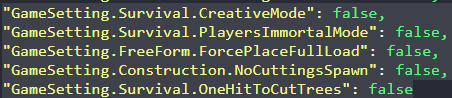
This ensures that any custom changes you’ve made, such as mods or custom scenarios, are preserved and won’t be overwritten by the Config Editor’s preset settings.
When you’re finished, click Save to ensure all adjustments are applied.
Did the above information not work for you?
Please click here to contact our support via a ticket.
