
This guide will show you how to Properly Enable and Configure TShock
Click here to order your Terraria server with AA Game Hosting.
Getting TShock up and running is the foundation of turning a standard Terraria world into a fully customizable, well‑moderated server. Whether you're hosting a private world for friends or building a large public community, properly enabling and configuring TShock ensures stability, security, and control. TShock’s plugin‑ready architecture, permission system, and console tools give you far more power than vanilla Terraria, but only if it’s set up correctly. Before diving into commands, permissions, and plugins, it’s important to understand how TShock launches, how it handles world files, and what initial configuration steps protect your server from unauthorized access. With a clean setup and a few essential adjustments, you’ll have a secure, flexible server environment ready for admins, players, and future customization.
Enabling TShock on Your Terraria Server
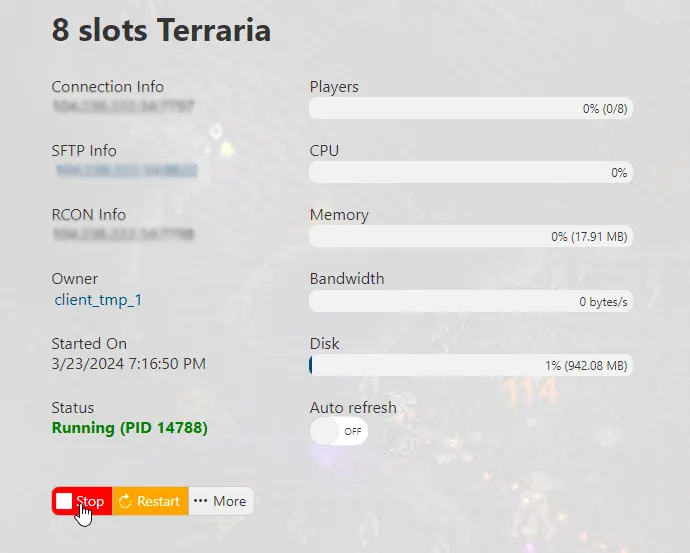
1. First and foremost, access your Game Panel (You can click this link for easy access) and go to your Game Services. You will see if your game server is running or not. Make sure to stop your server for now by clicking on the "Stop" button.
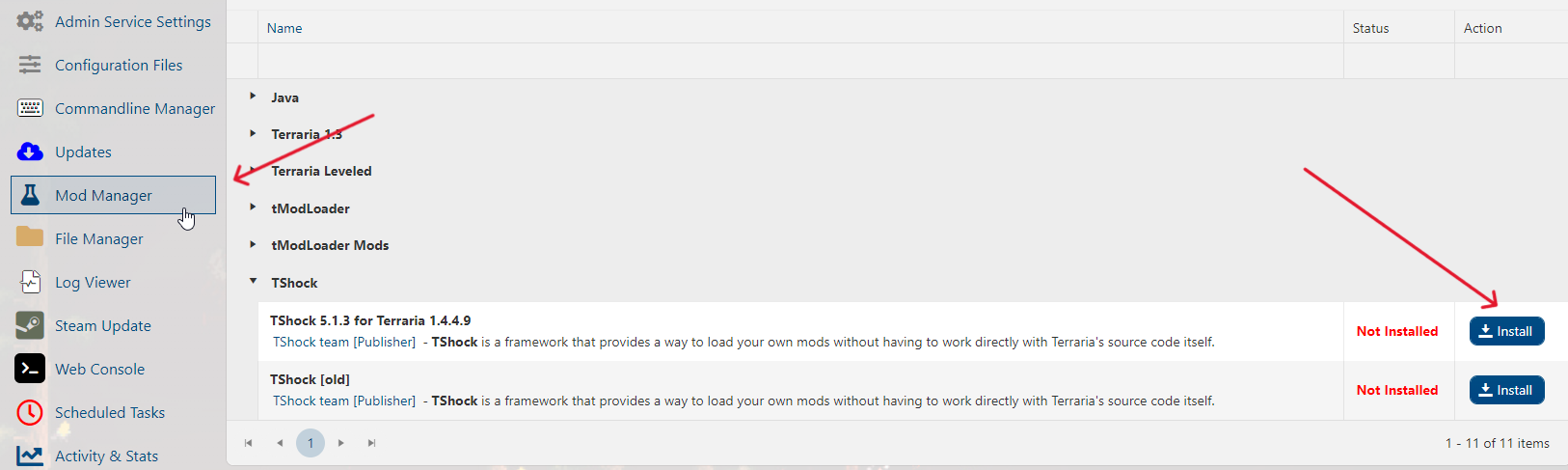
2. Second, navigate to the Mod Manager section, click on TShock, and press the "Install" button. That's it! You're now ready to play Terraria with TShock enabled.
If you encountered issues during the process,
Please click here to send a ticket to our team.
