
This guide will show you how to enable Terraria Crossplay Between PC and Mobile Servers
Click here to order your Terraria server with AA Game Hosting.
Terraria players have always wanted one thing: the ability for friends on PC and Mobile to explore, build, and battle together in the same world. While Terraria doesn’t offer full native crossplay across all platforms, PC–Mobile crossplay is possible under specific conditions, and setting it up correctly ensures everyone can join without version conflicts or connection issues. This guide walks you through what crossplay actually supports, how to prepare your server, and the exact steps needed to let PC and Mobile players connect smoothly. Whether you're hosting a private world for friends or running a public community server, enabling crossplay helps bring everyone together, no matter what device they’re on.
Setting Up Terraria Crossplay: PC & Mobile Edition
By default, Terraria servers are meant for either PC or mobile editions with no crossplay built in. Thankfully, using TShock, an enhanced Terraria server type, and the plugin called Crossplay, you can easily set up a server for both PC and mobile users.
Want to bring PC and mobile players together in your Terraria world? Installing a crossplay plugin allows users from different platforms to connect seamlessly. Follow this guide to set up cross-platform play on your server.
1. Install and set up TShock on your Terraria server.
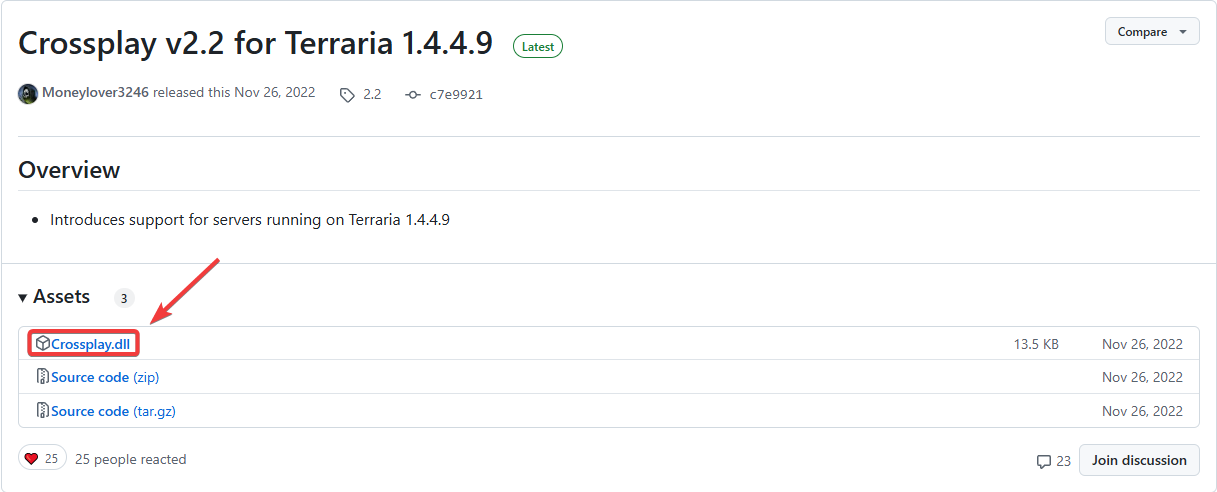
2. Download the Crossplay plugin from its Official GitHub page.
3. Before making any modifications, stop the server from running by clicking the Stop button.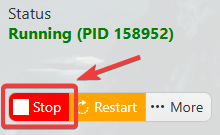
4. Open the ServerPlugins folder in the Files tab.
5. Upload the downloaded Crossplay.dll file to the server’s plugins directory.
6. Restart your Terraria server to apply the changes.
Once installed, players across different platforms will be able to join your world, making your Terraria experience even more connected.
If you encountered issues during the process,
Please click here to send a ticket to our team.
