
This guide will show you how to Change Your Terraria Server Description (MOTD)
Click here to order your Terraria server with AA Game Hosting.
Your Terraria server’s Message of the Day (MOTD) is the first thing players see when they join your server’s handshake, personality, and welcome banner all in one. Whether you want to share rules, set the vibe, promote events, or simply add some flair, customizing the MOTD helps your world feel more alive and intentional. In this guide, you’ll learn exactly how to edit your server description, where the MOTD is stored, and how to update it safely without breaking your configuration. By the end, you’ll be able to craft a message that reflects your server’s identity and gives players a warm, memorable first impression.
Customizing Your Terraria Server MOTD for Players
1. Log in to the Game Panel and navigate to your Terraria server.
2. Before making any modifications, stop the server from running by clicking the Stop button.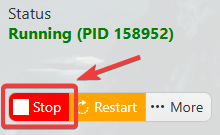
3. Navigate to the Configuration Files section.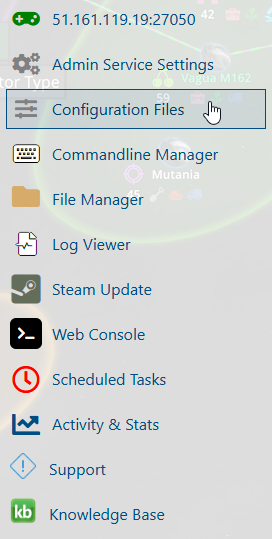
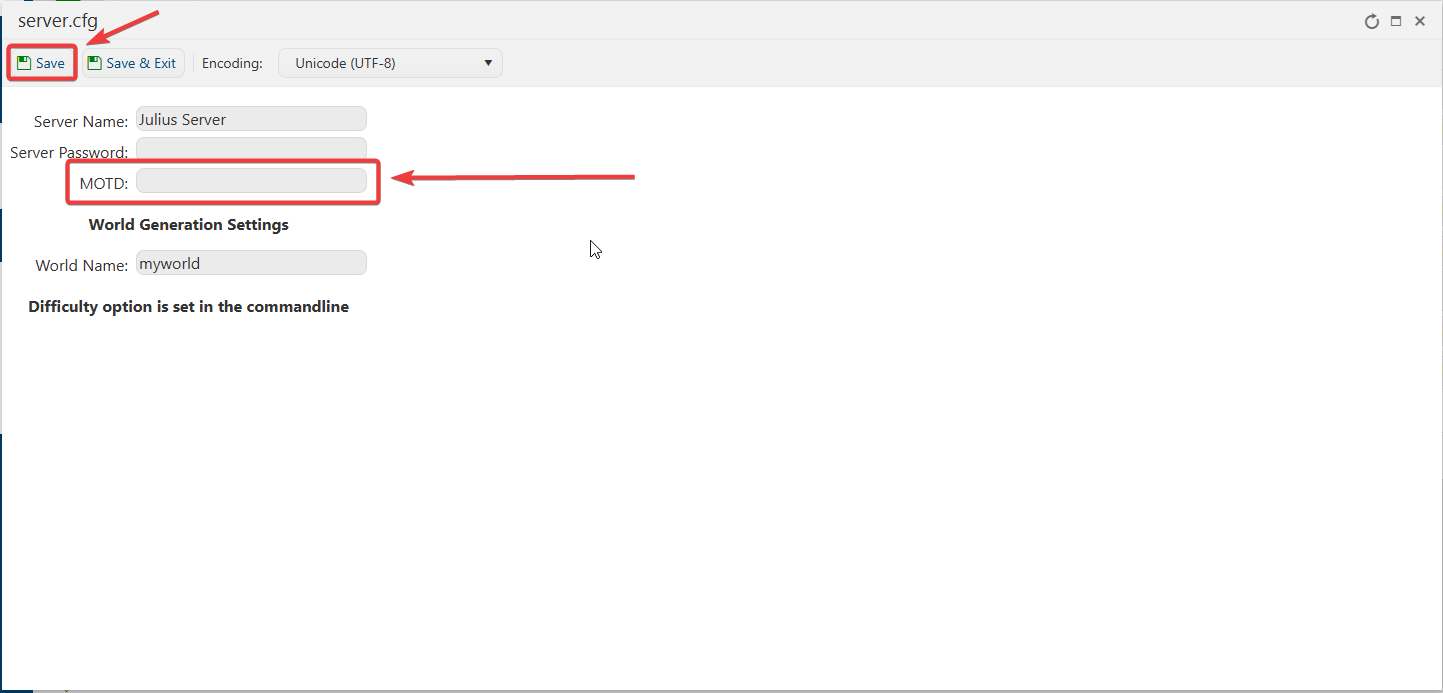
4. On the Configuration Files, you will see the server.cfg file, which is the General Server Config. Click the Config Editor beside the Text Editor.
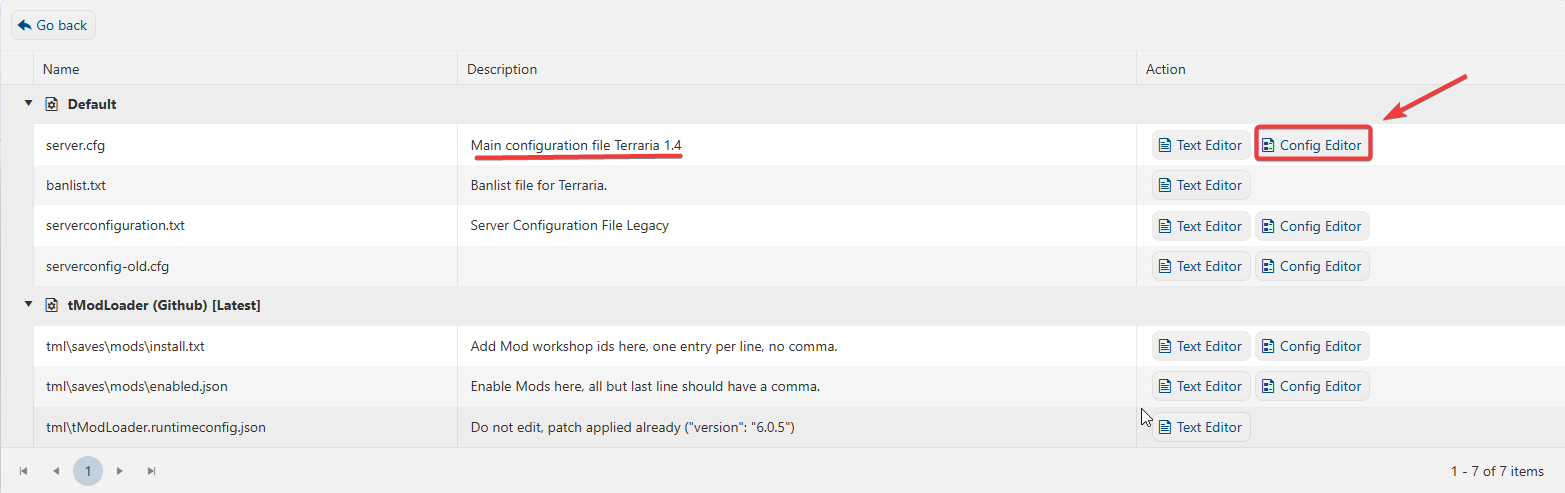
5. Tailor the MOTD to display your desired in-game message and hit Save.
If you want to change the server name directly in the file instead of using our UI, you can click the Text Editor beside the Config Editor and make the changes from there. 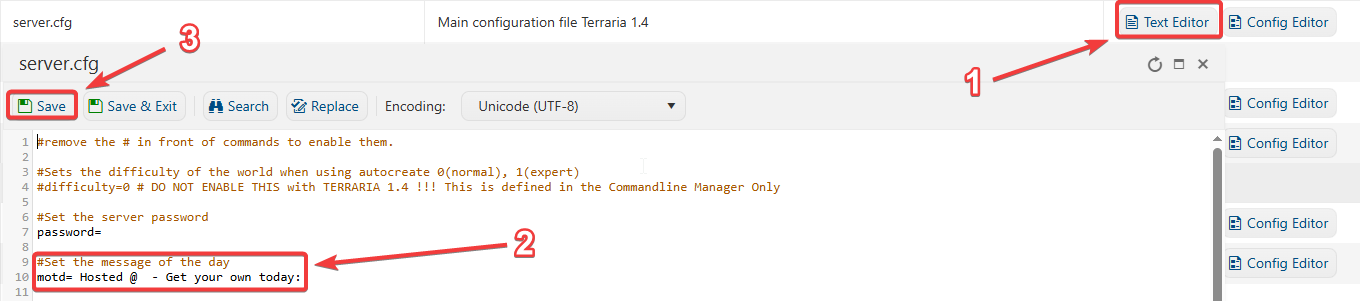
In this way, you are ensured that any custom changes that you made, like mods and custom scenarios, will be saved and not be affected by the Config Editor preset.
If you encountered issues during the process,
Please click here to send a ticket to our team.
