
This guide will help you learn how to Easily Install Plugins for the Carbon Mod on Rust
Click here to order your RUST server with AA Game Hosting today!
If you’re running a Rust server and want to take customization to the next level, the Carbon mod is one of the most powerful tools you can add to your setup. Carbon provides a modern, lightweight framework that makes plugin management faster, cleaner, and far more flexible than traditional modding approaches. Whether you’re aiming to enhance gameplay, automate server tasks, or introduce entirely new features, plugins are where the real magic happens. In this guide, you’ll learn the simplest and most reliable way to install plugins for the Carbon mod on your Rust server. No confusing steps, no technical guesswork, just a clear, beginner‑friendly walkthrough that gets your plugins up and running smoothly. Let’s jump in and start transforming your server into the experience you’ve envisioned.
Installing Plugins on Your Rust Server with Carbon
/cpanel in chat.Modules > Admin > Edit Config.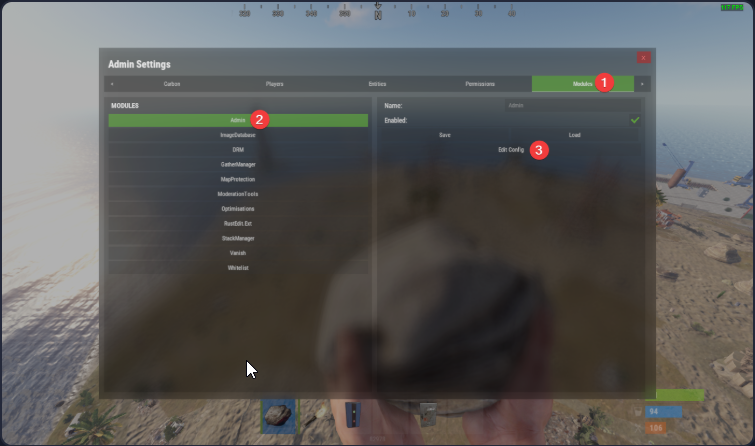
DisablePluginsTab is unchecked, then click Save.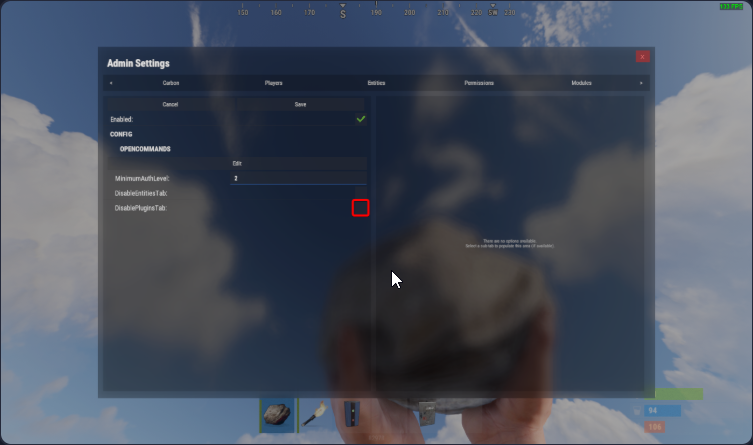
Plugins tab.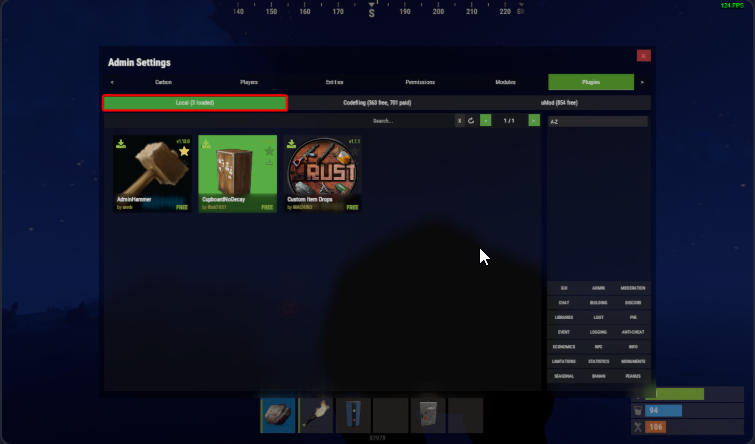
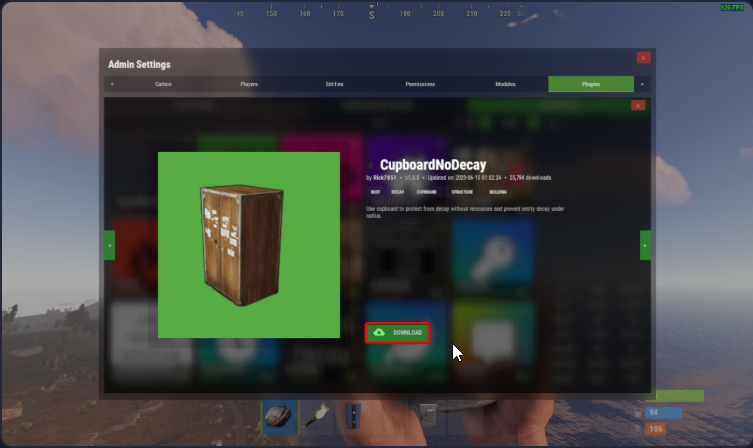
7. Manage Installed Plugins – Find downloaded plugins under the
Local tab.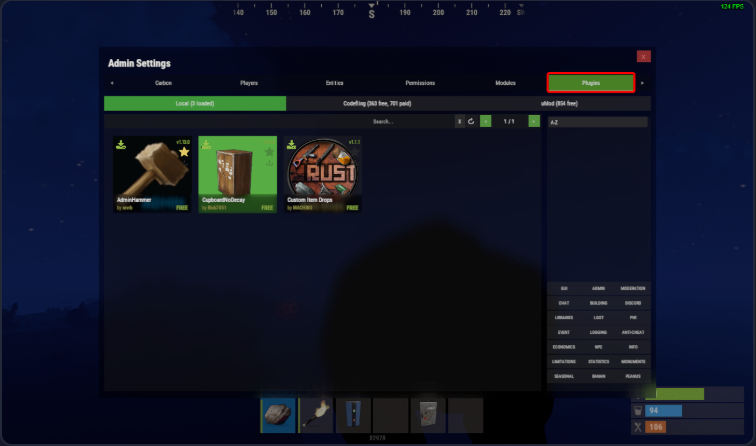
Please click here to send a ticket to our team.
