

This guide will help you How to Modify Save Intervals on your Rust Server
Click here to order your RUST server with AA Game Hosting today!
Your Rust server automatically saves the world at regular intervals, but those default settings aren’t always ideal for every community. Adjusting the save interval gives you more control over performance, stability, and how often player progress is written to disk. Whether you’re optimizing for a high‑population server or fine‑tuning a small private world, modifying the save interval is a simple yet impactful way to improve your server’s reliability.
Configuring Save Interval Settings on a Rust Server
1. Log in to the Game Panel and navigate to your Rust server.
2. Before making any modifications, stop the server from running by clicking the Stop button.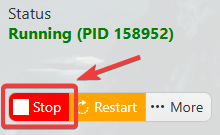
3. Navigate to the Configuration Files Tab.
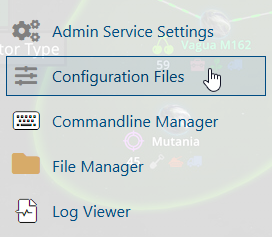
4. On the Configuration Files, you will see the server\server\cfg\server.cfg file, which is the General Server Config. Click the Text Editor beside the Config Editor.

5. Make any required changes to server.saveinterval.

6. Once you've updated your settings, save your changes and start the server to apply them.
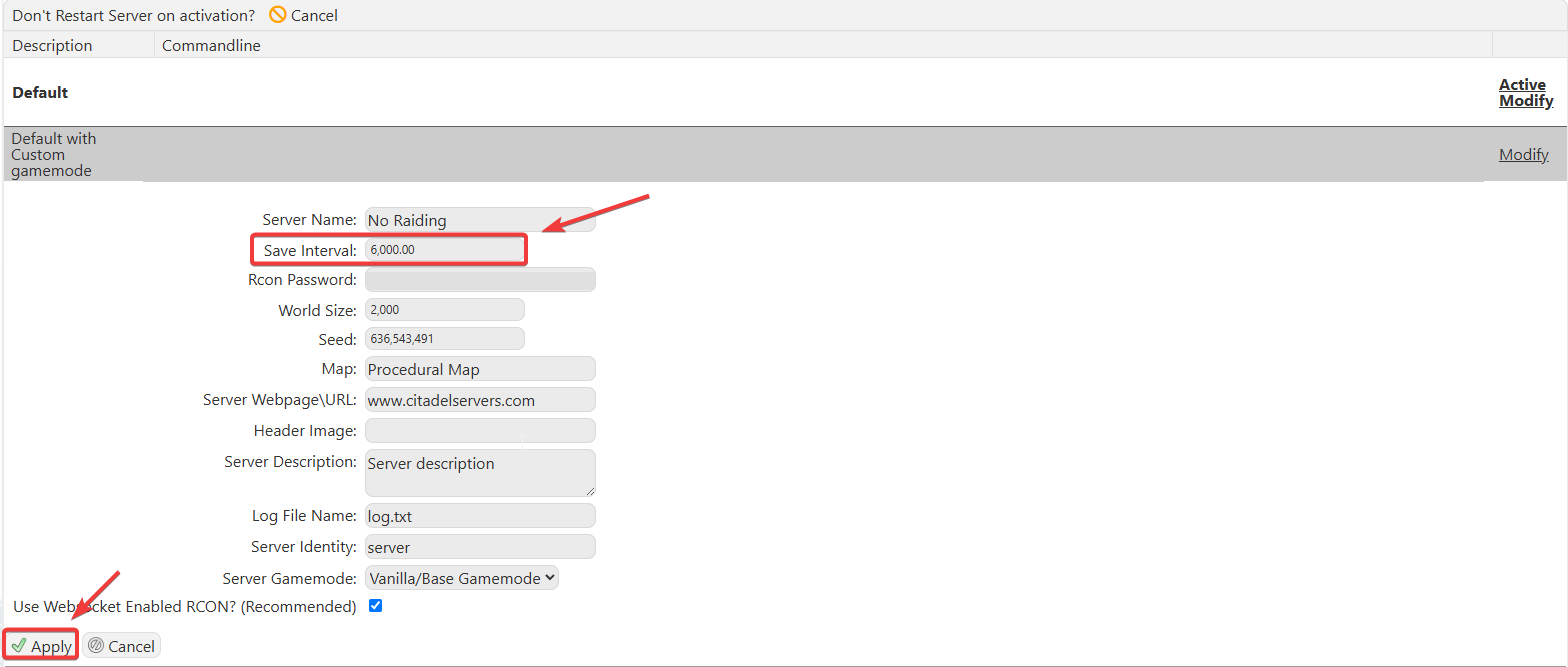
You can also change the Save Interval using the Commandline Manager. Just make the changes on your predefined command lines, then hit Apply.
Please click here to send a ticket to our team.
