

This guide will teach you how to Control Raid Settings on your Palworld Server.
Don't have a Palworld Server yet? Order one with AA Game Hosting today!
Raids can dramatically shape the pace and challenge of your Palworld server, whether you’re running a relaxed community world or a high‑stakes survival experience. As a server admin, having control over when raids happen or if they happen at all lets you fine‑tune difficulty, protect new players, or ramp up the excitement for seasoned groups. Palworld gives you direct access to these settings, allowing you to enable or disable raids with just a few configuration changes. This guide walks you through how to manage raid settings so you can create the exact gameplay environment your server needs.
Managing Raids on your Palworld Server
1. Log in to your Game Control Panel.
2. Before making any modifications, stop the server from running by clicking the Stop button.

3. Navigate to the Configuration Files section.
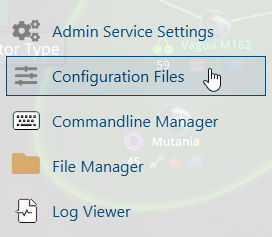
4. On the Configuration Files, look for Pal\Saved\Config\WindowsServer\PalWorldSettings.ini file and click the Text Editor beside the Config Editor.

5. On the Text Editor, look for the bEnableInvaderEnemy line, change the value of the setting from True to False or vice versa.
(You can use the search button and search for a portion of the name or the whole name.)

6. After editing, click Save to apply the changes.
You can now start playing on your server.
