

This guide will show you how to change the Server Name and Password
of your Palworld server.
Click here to order your Palworld server with AA Game Hosting.
1. Log in to your Game Control Panel.
2. Navigate to your Palworld server, make sure the server is stopped before making changes.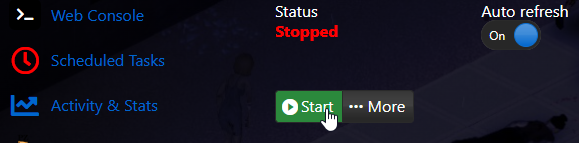
3. Open the Commandline Manager and click "Modify".
This will bring down the server options for you to edit.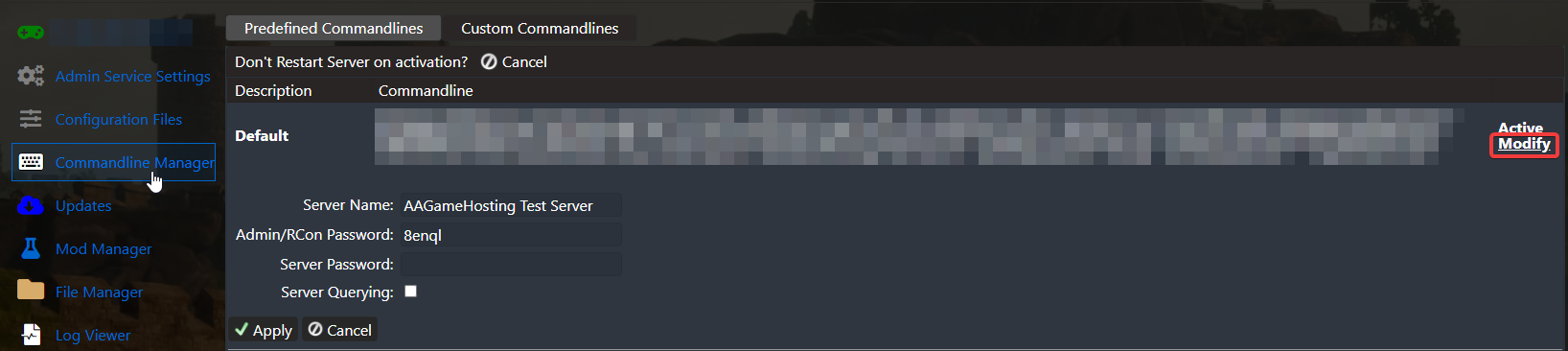
4. Once you are done editing, hit apply. You can now start the server.
If you encountered issues during the process,
Please click here to send a ticket to our team.
