

This guide will teach you how to Turn Off Map Spawn Selection on your Palworld Server
Don't have a Palworld Server yet? Order one with AA Game Hosting today!
Controlling how players enter your Palworld server can make a big difference in how your world feels and functions. If you want everyone to start in the same location, or you’re running a structured community server where spawn points matter, disabling the map spawn selection feature is a simple but powerful tweak. By turning off this option, you ensure that new players begin exactly where you intend, keeping progression balanced and preventing accidental (or intentional) spawning in unintended areas. This guide walks you through how to disable map spawn selection so you can maintain a consistent, well‑managed server environment.
1. Log in to your Game Control Panel.
2. Before making any modifications, stop the server from running by clicking the Stop button.

3. Navigate to the Configuration Files section.
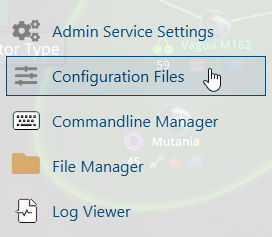
4. On the Configuration Files, look for Pal\Saved\Config\WindowsServer\PalWorldSettings.ini file and click the Text Editor beside the Config Editor.

5. On the Text Editor, look for the bIsStartLocationSelectByMap line, and change the value of the setting from True to False.
(You can use the search button and search for a portion of the name or the whole name.)

6. After editing, click Save to apply the changes.
You can now start playing on your server.
