

This guide will help you How to Customize Death Penalties and Player Loss on the Hytale Server
Click here to order your Hytale server with AA Game Hosting today!
Customizing death penalties and player loss on your Hytale server gives you control over one of the most important gameplay dynamics: how punishing (or forgiving) the world feels when players die. These settings shape everything from progression and difficulty to how players approach exploration, combat, and risk‑taking. Whether you want a hardcore survival environment where every mistake matters or a relaxed, creative‑friendly server where death is only a minor setback, adjusting these rules lets you tailor the experience to match your community’s style. This guide walks you through the available death‑related settings, how to modify them through server commands and configuration files, and practical examples for different server styles, from hardcore survival to relaxed community play. It also includes troubleshooting tips for when changes don’t behave as expected.
Customizing the Death Penalty for Your Hytale Server
1. Log in to your Game Control Panel and navigate to your service.
2. Before making any modifications, stop the server from running by clicking the Stop button.
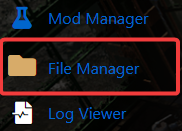
3. Navigate to the File Managers Tab.
4. Locate the directory at /universe/worlds/(your world) and open the config.json file inside to access your world’s settings.
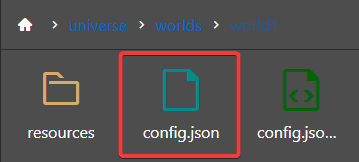
(Note: If a Death entry already exists in the file, skip ahead to Step 6.)
5. In the config.json file, locate the "GameplayConfig" line and press Enter to create space for the new settings.
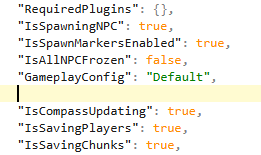
Enter the following command:
"Death": {
"RespawnController": {
"Type": "HomeOrSpawnPoint"
},
"ItemsLossMode": "Configured",
"ItemsAmountLossPercentage": 10.0,
"ItemsDurabilityLossPercentage": 10.0
},
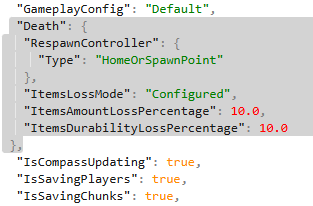
6. Adjust the ItemLossMode settings to match how you want your server to handle player inventory loss on death.
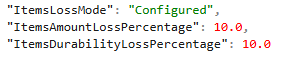
| Setting | Description |
ItemsLossMode |
Sets the death penalty to
|
ItemsAmountLossPercentage |
Sets the number of items lost upon death. |
ItemsDurabilityLossPercentage |
Sets how much item durability is lowered on death. |
7. Click Save to apply your changes and update the server with the new settings.

Did the above information not work for you?
Please click here to contact our support via a ticket.
