

This guide will help you How to Change and Control Time in your Hytale Server World.
Click here to order your Hytale server with AA Game Hosting today!
Changing and controlling time in your Hytale server world lets you shape the experience your players have, whether you want a permanent sunrise for building, a longer night for challenge, or a fully customized day‑night cycle that fits your server’s theme. Time settings influence gameplay difficulty, mob behavior, lighting, and even the overall atmosphere of your world, so understanding how to manage them gives you far more creative control as a server admin.
Configuring Time and Cycles in Hytale Server
1. Log in to your Game Control Panel and navigate to your service.
2. Navigate to the Web-Console Tab.
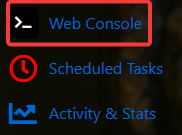
3. In the Web Console tab, enter any of the following commands to adjust your world’s time settings:
| Command | Description |
/time dawn --world <worldName> |
Sets the time to 4.8 or 4:48 AM |
/time midday --world <worldName> |
Sets the time to 12.0 or 12:00 PM |
/time dusk --world <worldName> |
Sets the time to 19.2 or 7:12 PM |
/time midnight --world <worldName> |
Sets the time to 0.0 or 12:00 AM |
/time set <0.0-24.0> --world <worldName> |
Sets the time to the desired float, representing the hours from 0.0 to 24.0 |
Did the above information not work for you?
Please click here to contact our support via a ticket.
