

This guide will help you How to Set Up Instant World Teleportation on your Hytale Server.
Click here to order your Hytale server with AA Game Hosting today!
Setting up instant world teleportation on your Hytale server opens the door to a smoother, more dynamic multiplayer experience. Instead of forcing players to trek across vast landscapes or reconnect to different worlds manually, you can create seamless transitions that make your server feel alive, interconnected, and thoughtfully designed. Whether you’re building a network of themed realms, running a minigame hub, or simply want faster travel for your community, instant teleportation becomes a core quality‑of‑life feature that players immediately appreciate. At its heart, world teleportation is about control, deciding how players move, where they land, and what rules apply as they cross between spaces. With the right setup, you can turn portals, commands, NPCs, or custom structures into gateways that feel natural within your server’s lore. It also gives you the freedom to experiment: maybe you want a central hub that branches into adventure zones, or a hidden portal that rewards exploration. This guide walks you through the essential steps to configure instant world travel, explains the tools and plugins you’ll rely on, and highlights the design choices that make teleportation feel polished rather than jarring. Before diving in, think about how you want players to experience your worlds. Your vision will shape the teleportation system you build.
Teleporting Between Worlds on Your Hytale Server
1. Log in to your Game Control Panel and navigate to your service.
2. Navigate to the Web-Console Tab.
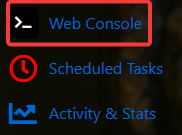
3. In the Web‑Console tab, enter the following command to apply the change immediately:
| Permission | Description |
hytale.teleport.command. |
The main permission to allow teleport subcommands. |
hytale.command.teleport.world |
Allows the /tp world <name> command. |
hytale.universe.command.world |
The main permission to allow world subcommands. |
hytale.universe.command.world.list |
Allows the /world list command. |
4. Log in to the server using an account that has the required player permissions enabled.
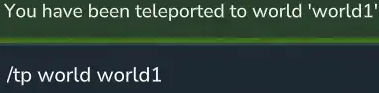
5. To teleport to another world, use the command: /tp world <name>
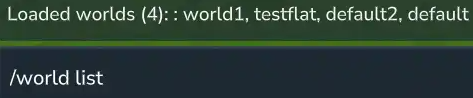
Enter the command /world list to display all worlds currently available on your server.
Did the above information not work for you?
Please click here to contact our support via a ticket.
