

This guide will help you set up automatic restarts for your Hytale Server.
Click here to order your Hytale server with AA Game Hosting today!
Setting up automatic restarts keeps your Hytale server running smoothly by preventing performance dips, memory buildup, and unexpected downtime. A scheduled restart routine helps your world stay stable during long play sessions and ensures players always return to a fresh, responsive environment. This guide walks you through the essentials of configuring automated restarts, enabling your server to maintain peak performance with minimal manual oversight. It’s a simple setup that pays off in reliability, especially for active communities or servers that run around the clock.
Automating Scheduled Restarts on Your Hytale Server
1. Log in to your Game Control Panel and navigate to your service.
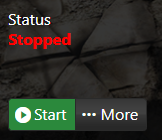
2. Before making any modifications, stop the server from running by clicking the Stop button.
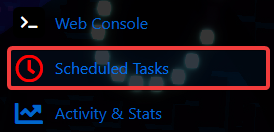
3. Navigate to the Scheduled Task Tab.
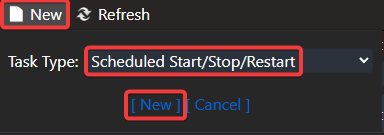
4. In the Scheduled Task tab, click New, then choose the Stop/Start/Restart action from the list.
5. Once you click New, the Restart Schedule page will appear. Set the options according to your preferred restart timing.
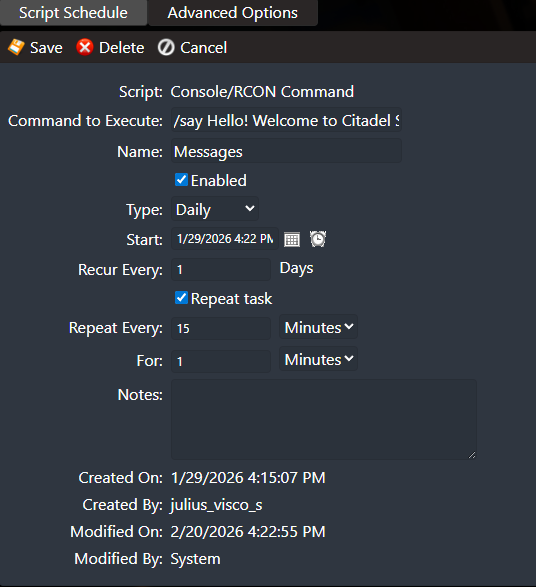
You can also click Advanced Options to access additional settings for customizing how the restart behaves.
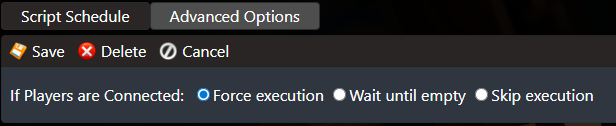
6. Once you’ve finished setting up your restart schedule, click Save to apply the changes to your server.

Your Hytale server will now restart automatically based on the schedule you set, helping it stay smooth, stable, and running without interruptions.
Did the above information not work for you?
Please click here to contact our support via a ticket.
