

This guide will help you on How to Set Up Playlists on your Insurgency Standalone Server.
Click here to order your Insurgency Standalone server with AA Game Hosting today!
Running your own Insurgency standalone server gives you complete control over the gameplay experience, from map rotations to custom rule sets. One of the most powerful tools at your disposal is the playlist system, which allows you to define exactly how your server runs whether you want a competitive environment, a casual co-op rotation, or a themed set of maps and modes. By setting up playlists correctly, you ensure that players joining your server enjoy a seamless, consistent, and engaging experience tailored to your vision. This guide will walk you through the essentials of creating and customizing playlists, from basic setup to advanced tweaks, so you can get your server running exactly the way you want.
Setting Up Playlists on your Insurgency Standalone Server
1. Log in to your Game Control Panel and navigate to your service.
2. Before making any modifications, stop the server from running by clicking the Stop button.

3. Navigate to the Configuration Files Tab.
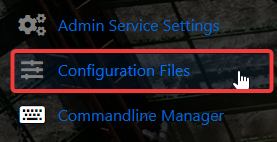
4. On the Configuration Files tab, loo for 'server.cfg'.
5. On the file, find the line which says 'sv_playlist coop' and change 'coop' to which ever playlist you want
Available playlists:
tacticalop (Tactical Operations)
sustained (Sustained Combat)
coop (Cooperative)
6. After editing, click the Save button to apply the changes on your server.

Did the above information not work for you?
Please click here to contact our support via a ticket.
