
 This guide will help you about Five Reborn and FiveM Custom Mod installation.
1. Log in to your Game Control Panel and navigate to your service.
2. Before making any modifications, stop the server from running by clicking the Stop button.

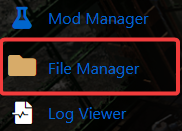
3. Navigate to the File Manager Tab.
4. Go to folder /resources/.
5. Once there make a new folder, name it whatever you want.
e.g. /resources/mod_name
6. Create a new file in here called:
__resource.lua
7. Leave this file blank, it tells the server these are files to download.
8. Next, create a new folder called: stream
9. All Mod files go in here.
10. On your root folder locate server.cfg and edit it. This can also be accessed in the Configuration Files page.
11 . Look for # Mods\Resources can be added here:
12. Add your mod's start command with the format:
start mod_name
13. Save the file and start your server.
Did the above information not work for you?
Please click here to contact our support via a ticket.
