
 This guide will help you on How To Fix Couldn't Load Resource Sessionmanager Error on your FiveM Server.
Running a FiveM server can be incredibly rewarding, but nothing halts the fun faster than seeing the dreaded “Couldn’t Load Resource Sessionmanager” error. This issue is common among server owners and developers, and it typically arises when FiveM fails to initialize one of its core resources during startup. Without sessionmanager, your server won’t load correctly, leaving players stuck outside your roleplay world. Resolving the sessionmanager error ensures your FiveM server runs smoothly, loads resources correctly, and provides a stable environment for your community. A properly configured server means less downtime, fewer frustrated players, and more time enjoying immersive GTA V roleplay.
1. Log in to your Game Control Panel and navigate to your service.
2. Before making any modifications, stop the server from running by clicking the Stop button.

3. Navigate to the Run RCON Command Tab.
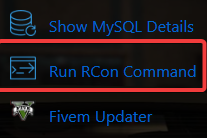
4. On the RCON Command, type the "restart sessionmanager" in RCon Command textbox. Then click Execute.
Note: Double quote (" " ) is not included.

Did the above information not work for you?
Please click here to contact our support via a ticket.
