
 This guide will help you on How to Backup FiveM Data to Local Computer on your FiveM server.
FiveM, the popular multiplayer modification framework for Grand Theft Auto V, allows server owners and players to customize their gaming experience with scripts, mods, and unique configurations. Because of this flexibility, your FiveM data such as server files, configuration settings, and custom resources becomes incredibly valuable. Losing it due to accidental deletion, corruption, or hardware failure can mean hours of work gone in an instant. Backing up FiveM data to your local computer is a simple but essential practice to ensure the safety and continuity of your server or gameplay environment.
Backing up your Data to your Local PC
1. Log in to your Game Control Panel and navigate to your service.
2. Before making any modifications, stop the server from running by clicking the Stop button.

3. Navigate to File Manager Tab.
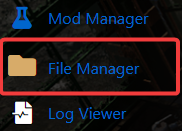
4. On the File Manager, locate the files that you wanted to backup.
5. Right click the chosen files then choose the compress file.
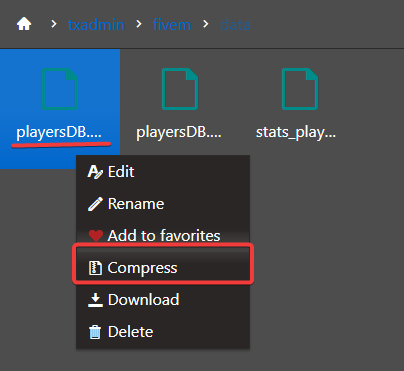
6. Download the Zip file for your loyal computer.
7. Click the MySql Web Management in the main interface of your Control Panel.
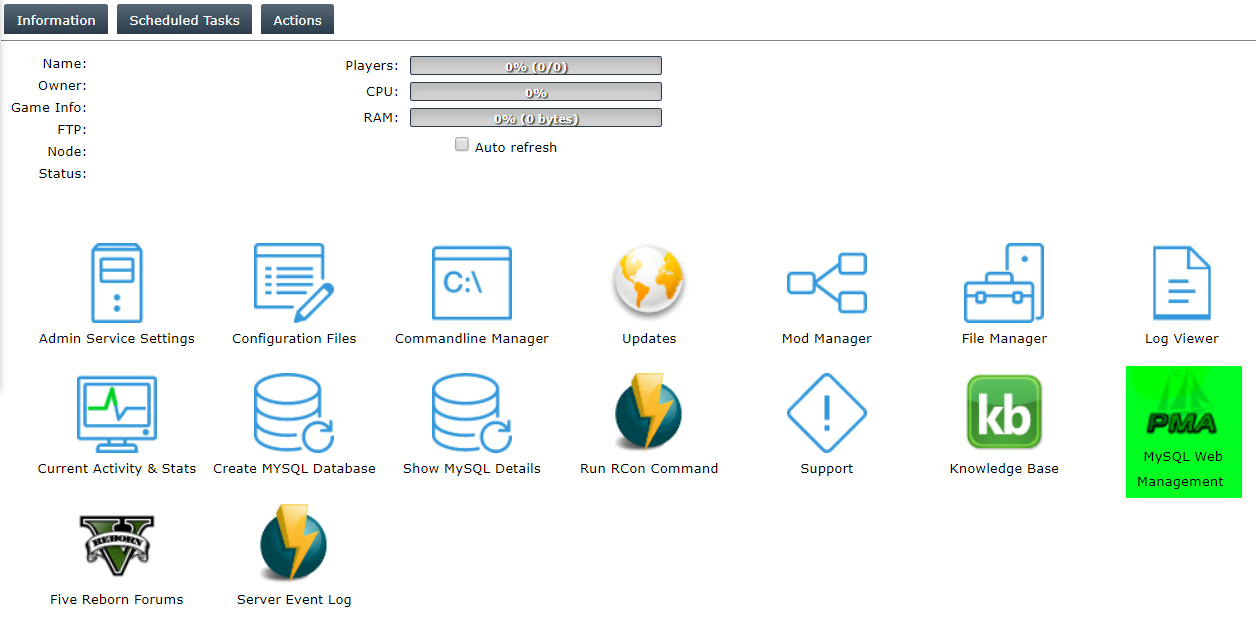
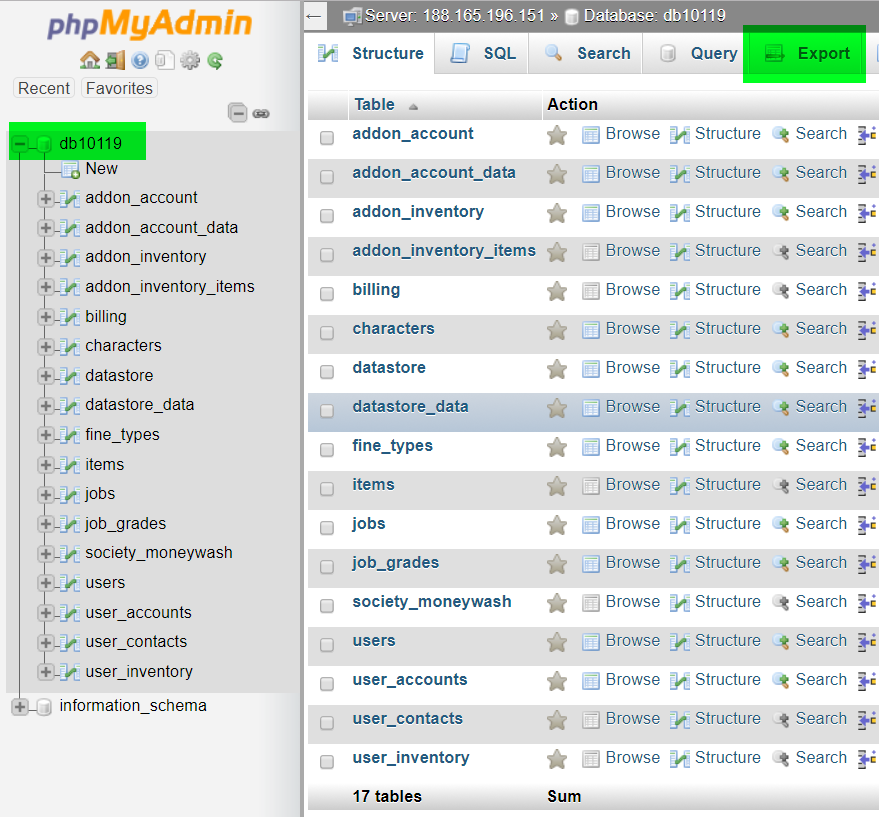
8. Select your database and open the Export tab.
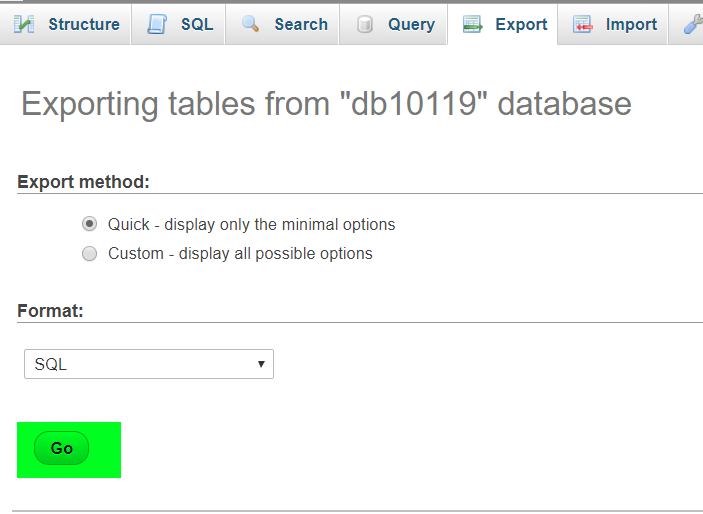
7. Click the Go button once again.
Did the above information not work for you?
Please click here to contact our support via a ticket.
