
 This guide will help you configure your FiveM server.
Setting up your server is only the first step; configuring it properly is what transforms it into a smooth, customized multiplayer experience. This guide is designed to walk you through the key configuration options available in Five Reborn, helping you tailor your server to match your vision. We’ll cover everything from editing core settings and permissions to managing resources, scripts, and performance tweaks. Whether you’re building a roleplay community, a racing hub, or a casual hangout, proper configuration ensures stability, security, and the flexibility to add the features you want.
Configuring your FiveM Server
1. Log in to your Game Control Panel and navigate to your service.
2. Before making any modifications, stop the server from running by clicking the Stop button.

3. Navigate to the Configuration Files Tab.
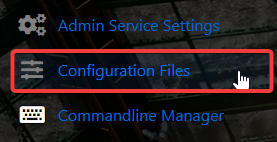
4. On the Configuration Files, look for server.cfg file and click the Text Editor.

5. In the Text Editor, edit any settings as needed.

# Don't change these settings here
endpoint_add_tcp "$[Service.IpAddress]:$[Service.GamePort]"
endpoint_add_udp "$[Service.IpAddress]:$[Service.GamePort]"
note: IP and Port can be found in the Game Panel under your name (owner) in this format: IPADDRESS:PORT
# Mods\Resources can be added here
start mapmanager
start chat
start spawnmanager
start sessionmanager
start fivem
start hardcap
start rconlog
start scoreboard
sv_scriptHookAllowed 1
# This is your Rcon password, comment out to disable RCON
rcon_password $[RConPassword]
# This is your server name
sv_hostname "$[HostName]"
# nested configs!
#exec server_internal.cfg
# This will allow you to set a custom logo for your server
# loading a server icon (96x96 PNG file)
# load_server_icon myLogo.png
# Convars for use from script
set temp_convar "hey world!"
# This will only allow players authenticated with a third-party provider like Steam
#sv_authMaxVariance 1
#sv_authMinTrust 5
# This is the default admin of GTA V
add_ace group.admin command allow # allow all commands
add_ace group.admin command.quit deny # but don't allow quit
add_principal identifier.steam:110000112345678 group.admin # add the admin to the group
# hide player endpoints in external log output
#sv_endpointprivacy true
6. After editing, click the Save button to apply the changes to your server.

Did the above information not work for you?
Please click here to contact our support via a ticket.
