

This guide will help you on how to enable cheats on your ARK Survival Ascended.
Cheats in ARK: Survival Ascended are powerful admin tools that allow you to manage your server, spawn creatures, adjust settings, and fix issues instantly. Whether you’re running a private server with friends or managing a large dedicated community, enabling cheats is the first step to unlocking full administrative control. Enabling cheats is essential for anyone who wants full control over their ARK: Survival Ascended server. Once activated, you’ll have the ability to shape the world, enforce rules, and ensure smooth gameplay for your community.
Enabling Cheats on your ARK Survival Ascended Server
1. Log in to your Game Control Panel and navigate to your service.
2. Before making any modifications, stop the server from running by clicking the Stop button.

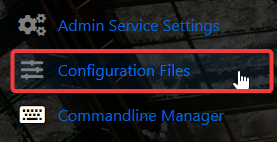
3. Navigate to Configuration Files Tab.
4. On the Configuration Files, look for GameUserSettings.ini and click either the Config or Text Editor to check or change the admin password of your server.
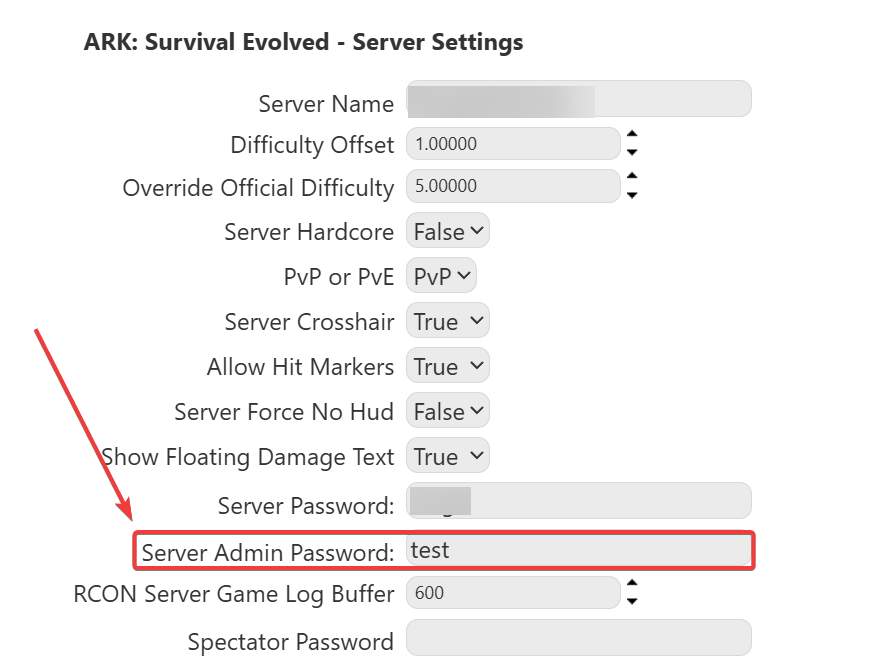
5. Once you've change the password, launch the game and connect to your server.
6. Press Tab to open the command console and type the following command:
"EnableCheats YourAdminPassword"
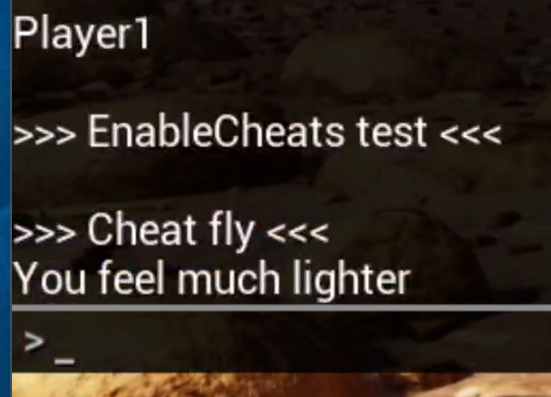
7. Once enabled, you can now use cheat commands prefixed with Cheat.
Common Cheat Commands
| Command | Description |
|---|---|
cheat god |
Enables God Mode |
cheat fly |
Enables Flying |
cheat infinitestats |
Infinite health, stamina, etc. |
cheat giveengrams |
Unlocks all engrams |
cheat teleport |
Teleports you to a random location |
cheat settimeofday 08:00 |
Sets in-game time |
cheat destroywilddinos |
Destroys all wild dinos (they respawn naturally) |
Did the above information not work for you?
Please click here to contact our support via a ticket.
