

This guide will help you on How to Connect to your Ark Ascended Server Manually.
Running your own ARK: Survival Ascended server is a great way to shape your adventure, but sometimes players run into issues when trying to join through the in-game server browser. Whether the server isn’t showing up, or you simply want a faster, more reliable way to connect, manual connection is the solution. By connecting manually, you bypass the browser’s filters and directly join your server using its IP address and port. This method ensures you can always access your world, even if it doesn’t appear in the public list. It’s especially useful for private servers, password-protected sessions, or when you’re hosting for a small group of friends. By the end, you’ll have a straightforward way to connect to your server every time, ensuring uninterrupted gameplay with your tribe.
Manually Connecting to your ARK Survival Ascended Server
1. Log in to your Game Control Panel and navigate to your service.
2. Before making any modifications, stop the server from running by clicking the Stop button.

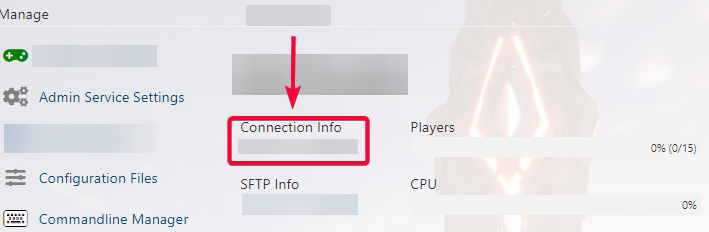
3. Copy the Connection Info which is your server IP Address.
4. Next is to launch your ARK Game. Once there, open the console by pressing "`" in the game menu. Type this following command:
"open [connection info]"
5. Command with connection info looks like this:
"open 127.0.0.1:20000"

6. Then hit Enter. You will now be able to join your ASA server.
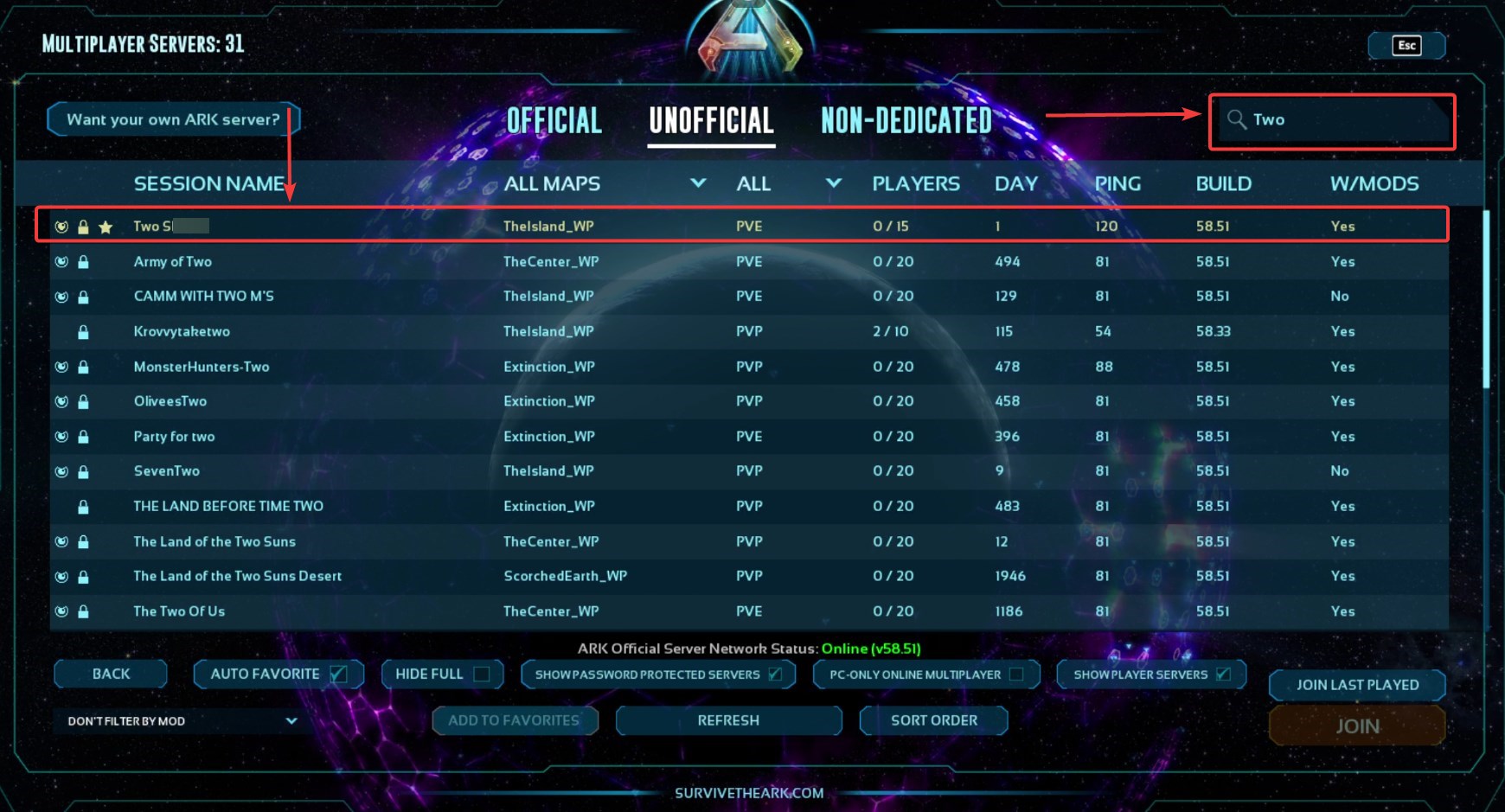
You can also search for your server using the search box at the top right of the server list.
See the image below for reference:

Please click here to contact our support via a ticket.
