
This guide will show you how to disable death penalties on your Enshrouded Server.
Click here to order your Enshrouded server with AA Game Hosting today!
In Enshrouded, death penalties are designed to add challenge and consequence to the game, but they aren’t for everyone. If you’d prefer a more relaxed experience whether for casual play, exploration, or testing builds you can disable these penalties on your server. Doing so allows players to respawn without losing progress or resources, making the game more accessible and enjoyable for different playstyles. In this guide, we’ll walk you through the steps to turn off death penalties on your Enshrouded server, so you can tailor the gameplay to suit your community’s preferences.
Disabling Death Penalties on your Enshrouded Server
1. Log in to your Game Control Panel and navigate to your service.
2. Before making any modifications, stop the server from running by clicking the Stop button.

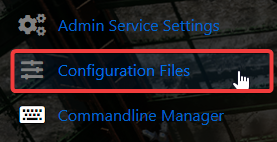
3. Go to the Configuration Files Tab.
4. On the Configuration Files, look for enshrouded_server.json file and click the Text Editor beside the Config Editor.

5.On the Config Editor, Look for tombstoneMode line and disable it by changing it from No Tombstone to Drop Nothing on Death.


Please click here to contact our support via a ticket.
