

This guide will help you on how to find and join on your Eco server.
Click here to order your ECO server with AA Game Hosting today!
Eco is all about collaboration, community, and building a sustainable world together. Whether you’re hosting your own server or joining one managed by friends, knowing how to locate and connect to the right server is the first step toward shaping your shared ecosystem. This guide will walk you through the process of finding and joining your Eco Server with ease. From navigating the in-game server browser to using direct connection details, you’ll learn the different ways to access your server and start playing.
Finding and Joining on your Eco Server
1. Log in to your Game Control Panel and navigate to your service.
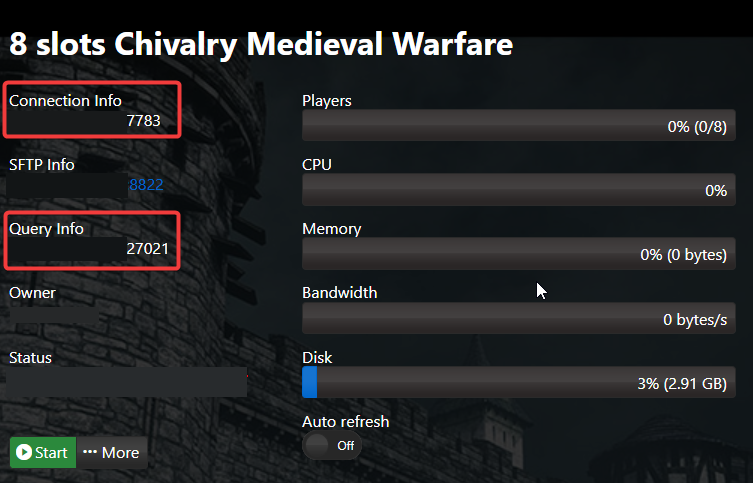
2. Copy the Connection Info/Query Port listed.
3. Start your server and Launch the Game.
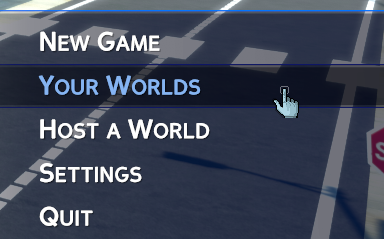
4. Proceed with clicking Your World. This is where multiplayer in ECO is located.
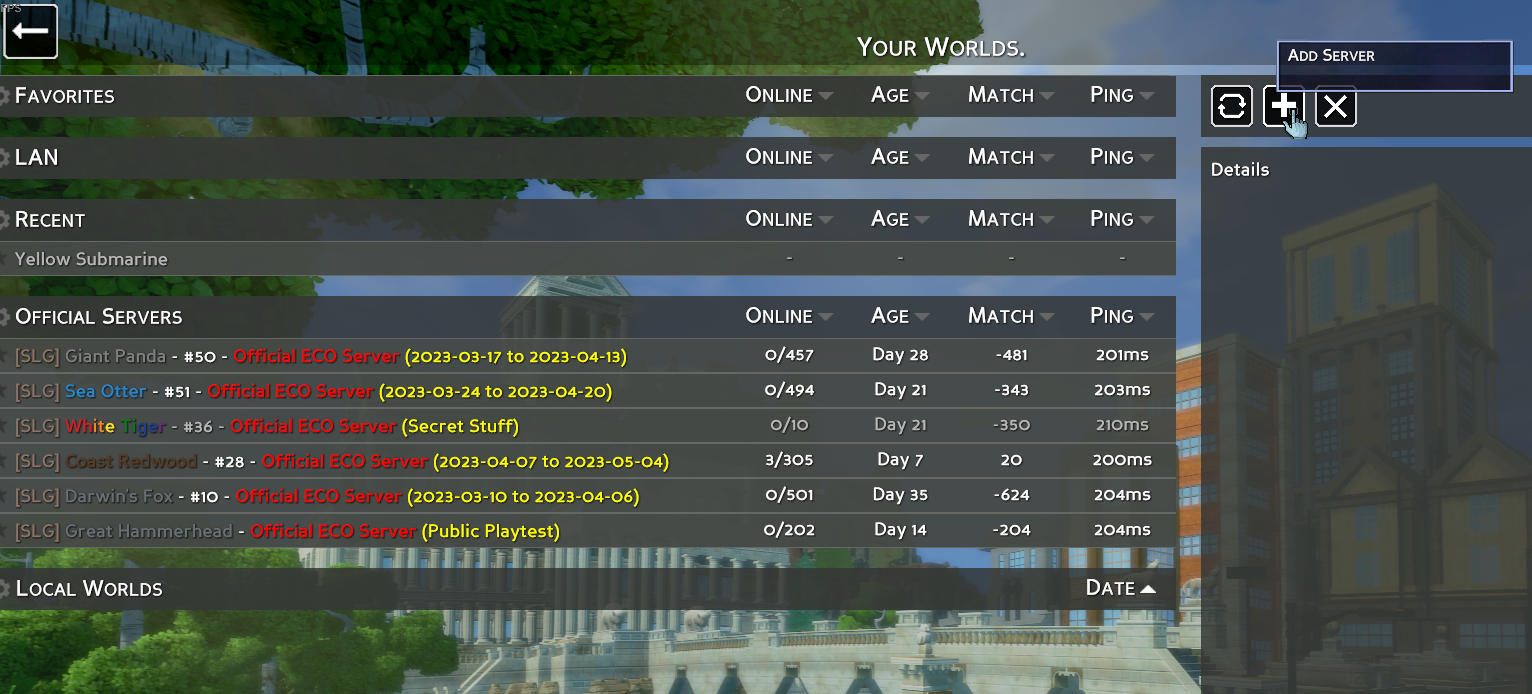
5. Go to the top right of the "Your Worlds" screen and locate the plus button. Here you will enter your IP and Port.
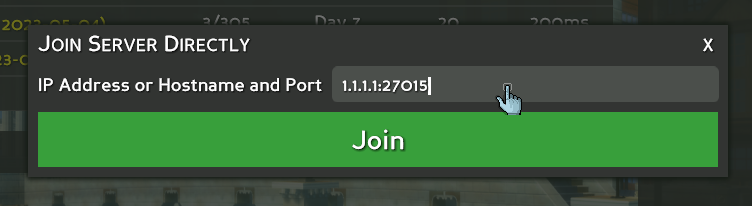
6. Enter your IP and Port of your server and you will connect to your server if it's running.
Did the above information not work for you?
Please click here to contact our support via a ticket.
