

This guide will help you How to Control Player View Modes (First/Third Person) on your Unturned Server
Power Up Your Unturned Server Today with AA Game Hosting
Controlling whether players use first‑person or third‑person view is an important part of shaping your Unturned server’s gameplay experience. Whether you want a more immersive, survival‑focused environment or a flexible, player‑choice approach, Unturned gives you full control over how view modes work on your server. This guide walks you through where to find the setting, how each option affects gameplay, and the exact steps to configure first‑ or third‑person mode so your server behaves exactly the way you want.
Configuring First and Third Person Modes on Your Unturned Server
1. Log in to your Game Control Panel and navigate to your service.
2. Before making any modifications, stop the server from running by clicking the Stop button.

3. Navigate to the Configuration Files Tab to continue.
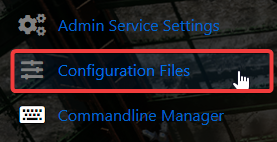
4. In the Configuration Files area, you’ll see the Servers\server -sv\server\Commands.dat file, which stores your general server config. Click the Config Editor to begin editing.

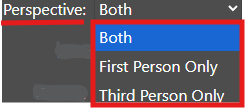
5. Within the Config Editor, find the Perspective field and set it to either First, Third Person Point of View, or both.
6. When you’re finished configuring the difficulty, click the Save button to commit the changes to your server.

Did the above information not work for you?
Please click here to contact our support via a ticket.
