
This guide will show you how to resolve the “Object Reference Not Set to an Instance of an Object” Issue in the Sunkenland Server
Get a Sunkenlands Server with AA today
When running a Sunkenland server, the “Object Reference Not Set to an Instance of an Object” error is one of the most common issues administrators encounter. This error typically appears when the server attempts to load data that is missing, corrupted, or improperly referenced, often due to outdated files, incomplete updates, or mismatched world data. While the message itself is vague, the underlying cause is usually straightforward: the server is trying to access something that doesn’t exist or isn’t initialized correctly. Resolving this issue ensures your server can start cleanly, load the correct world files, and avoid crashes or failed startups. By following a few targeted troubleshooting steps, you can quickly identify the source of the problem and restore your Sunkenland server to a stable, playable state.
Fixing the “Object Reference Not Set” Error
1. Log in to your Game Control Panel and navigate to your service.
2. Before making any modifications, stop the server from running by clicking the Stop button.
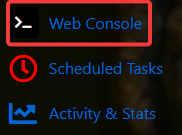
3. Navigate to the Web Console Tab to continue.
4. If this error shows up in the web console, it usually means your server doesn’t have a GUID set. Use the correct GUID, the second part of the world folder you uploaded, or the one we provided, to fix the issue.
Example: MyIsland~7b52ef0c-8c71-4d05-bac5-415e57c1fcb0
In this example, the GUID is the long string after the tilde. The first part (George) is the server name that appears in the server list.

Did the above information not work for you?
Please click here to contact our support via a ticket.
